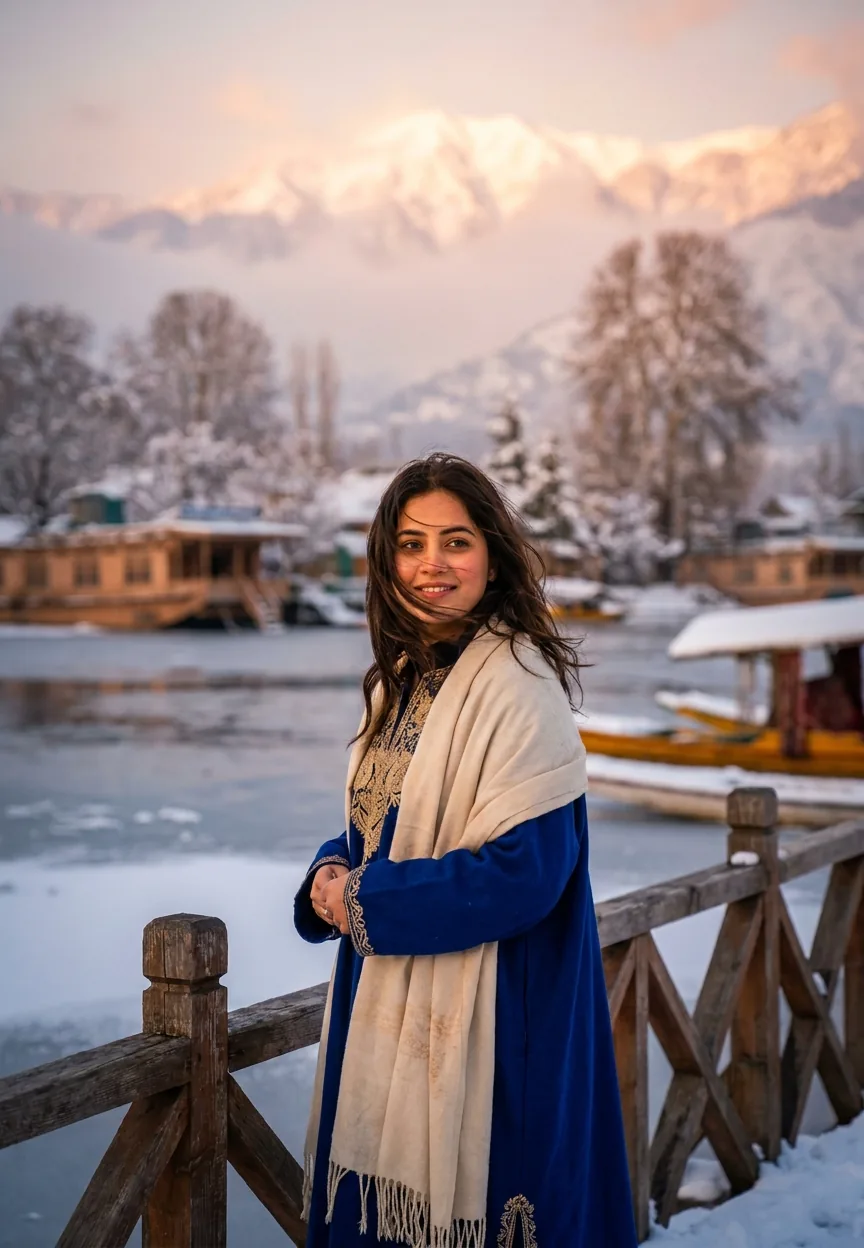
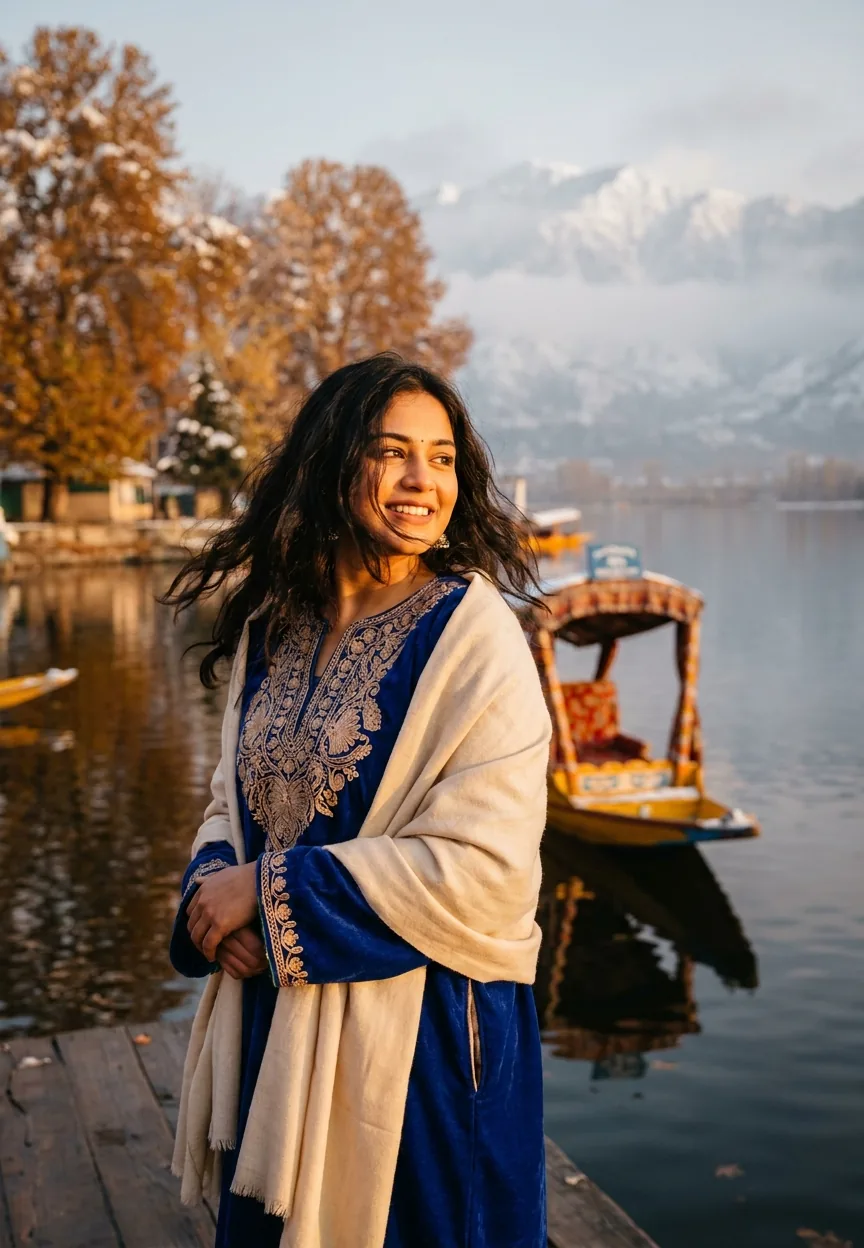
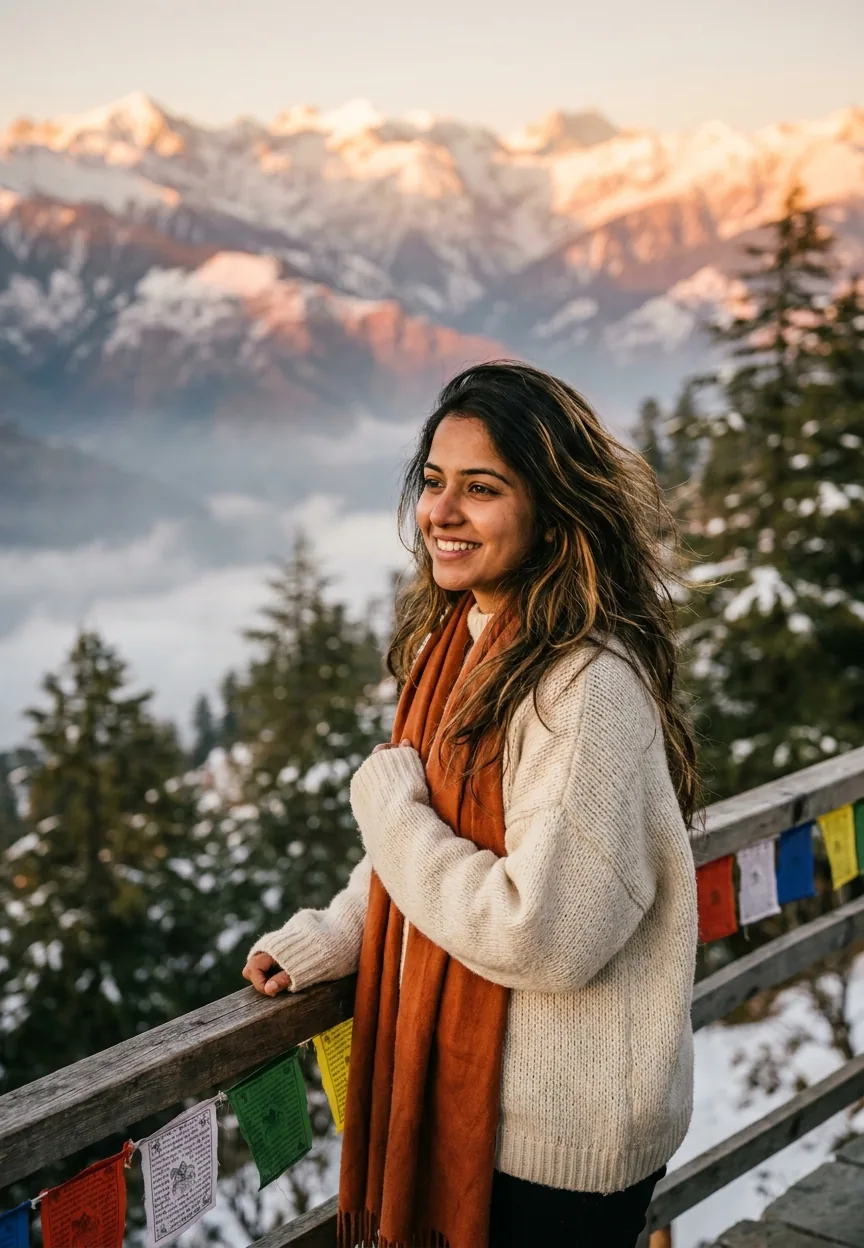
The Dreamy Kashmir Snow Mountain prompt generates a photorealistic portrait of a young Indian woman in traditional Kashmiri dress, standing against golden-hour Himalayan peaks and a frozen Dal Lake. Use it in Google Gemini with the full prompt text, set aspect ratio to 9:13, and expect cinematic travel photography results in under 30 seconds.
Kashmir has always been the kind of place that makes your phone camera feel deeply inadequate. The snow-capped peaks, the frozen lakes, the chinar trees doing their best impression of a postcard — it's a lot. Now, with this Gemini AI prompt doing the rounds on Indian Instagram and YouTube, you can generate that dreamy Himalayan travel shot without booking a flight, hiring a photographer, or losing feeling in your fingers at minus eight degrees. Honestly, fair enough.
Paste this Kashmir snow mountain prompt into Google Gemini, keep the 9:13 ratio, and you'll get a cinematic golden-hour portrait that looks like it was shot by a professional travel photographer who really, really loves Kashmir.
What the Kashmir AI Travel Portrait Style Actually Is
This is photorealistic AI portrait photography — specifically the kind that blends cultural identity with dramatic landscape travel photography. Think Vogue India meets National Geographic, generated in half a minute.
The style sits in a category sometimes called "cultural travel portraiture." It puts a real-feeling subject — detailed traditional clothing, natural hair, genuine expression — against an environmental backdrop that tells a story about place. Kashmir is the star here. The woman in the pheran is the narrator.
What makes this specific prompt land so well is the layering. You've got warm golden-hour lighting against cool blue mountain shadows. Sharp subject focus against soft bokeh peaks. Rich cultural detail against sweeping natural scale. That contrast is doing a lot of heavy lifting, and it works.
The 9:13 aspect ratio is a deliberate choice too. That's a vertical format slightly taller than your standard portrait. It fits Instagram and Pinterest feeds perfectly, and it gives the composition room to show both the subject and the Himalayan backdrop without cramming anything. Smart framing — you could say the prompt is dimensionally aware. (I'm sorry. I had to.)
The Prompt — Copy This Exactly
A stunning photorealistic vertical portrait (9:13 ratio) of a young Indian woman in her mid-20s standing against the breathtaking snow-capped mountains of Kashmir, India. She is wearing a vibrant traditional Kashmiri pheran (woolen cloak) in deep royal blue with intricate golden embroidery, paired with a soft cream pashmina shawl draped elegantly over her shoulders. Her long dark hair flows naturally in the crisp mountain breeze. She stands on a wooden bridge overlooking the frozen Dal Lake, surrounded by towering chinar trees dusted with fresh white snow. The lighting is golden hour magic — warm amber and soft pink tones from the setting sun casting a cinematic glow on her face and the snowy landscape behind her. The background features misty Himalayan peaks, pine forests blanketed in snow, and a soft bokeh effect. The overall mood is ethereal, dreamy, and wanderlust-inspiring. Shot with a professional DSLR feel, sharp subject focus, rich color grading with cool blue shadows and warm golden highlights, high detail, 8K ultra-realistic quality, Instagram-worthy travel photography aesthetic.
How to Use This Prompt — Three Steps, No Surprises
Step one: Open Google Gemini. You'll want the standard free version or Gemini Advanced — both handle this prompt well. Gemini Advanced gives you slightly more detail in the embroidery and background textures, so if you have access, use it.
Step two: Paste the full prompt exactly as written above. Don't trim it. Every line is pulling its weight. The colour grading instruction, the bokeh call-out, the "8K ultra-realistic" tag — these aren't filler. AI image models respond to specificity. Vague prompts get vague results. Specific prompts get Kashmir.
Step three: Generate and compare. Run it two or three times. AI image generation has some natural variation — think of it like ordering the same dish at a restaurant on different nights. You want to pick the best plate. Look for: clean facial features, visible embroidery detail on the pheran, and a background that actually shows the Himalayan peaks rather than a blurry grey smear.
If the face comes out slightly off — which happens — regenerate. Nine times out of ten, a second or third generation fixes it without any prompt changes.
Tips for Getting the Best Results
Rule of thumb: the more cultural detail you specify, the more grounded the result feels. This prompt already does this well — the pheran, the pashmina, the chinar trees — but if you want to personalise it, you can swap the royal blue for a deep crimson or emerald green and the result shifts dramatically.
Here are a few tested variations worth trying.
Change the time of day. Swap "golden hour" for "blue hour" and the entire mood shifts. You get a cooler, moodier image — less dreamy postcard, more cinematic film still. Both are great. They just tell different stories.
Adjust the location detail. "Wooden bridge overlooking frozen Dal Lake" can become "stone path through a snow-covered Mughal garden" or "narrow lane in Gulmarg village." Same woman, different chapter of the same story.
Add weather texture. "Light snowfall" or "morning mist rolling through the valley" adds atmospheric depth. AI models handle weather prompts well, and it makes the final image feel more alive.
One thing to avoid: don't add too many competing style references. If you tack on "Bollywood film poster aesthetic" and "VSCO filter" and "watercolour edges" all at once, the model gets confused and the output looks like it had an identity crisis. Keep it focused. This prompt already knows who it is.
Why This Style Is Trending Across India Right Now
Travel photography has always been aspirational. The difference now is that AI makes the aspiration accessible. You don't need to be a photographer. You don't need a DSLR. You don't need to physically be in Kashmir — which, given that a proper trip can cost upwards of thirty thousand rupees, is not a trivial point.
The cultural specificity is a big part of why this particular prompt resonates. The pheran isn't a generic "ethnic outfit." It's specifically Kashmiri. The chinar tree, the Dal Lake, the pashmina — these are real, recognisable details that Indian audiences connect with immediately. It's not pretending to be somewhere vague. It's committed to a place.
There's also a pride element at work. A lot of the creators sharing these images aren't just showing off a cool AI trick — they're celebrating a part of India that's genuinely beautiful and often underrepresented in mainstream travel content. That combination of cultural pride and visual spectacle travels well on Instagram and YouTube Shorts, which is exactly where this prompt is gaining traction.
The "8K ultra-realistic" tag in the prompt also plays a role. Indian audiences on social media have a strong preference for high-detail, richly coloured images. This prompt is designed specifically to deliver that — the cool-blue shadows and warm golden highlights create a colour grade that photographs well even when screenshotted and reposted, which is how most viral AI content actually spreads.
Honest Take — When to Use This and When to Skip It
This prompt is genuinely good. I don't say that about every AI image prompt I come across — plenty of them overpromise and underdeliver, and I've generated enough cursed hands to last several lifetimes. This one delivers on its brief consistently.
That said, it's not for every use case. If you're a travel blogger trying to represent an actual trip you took to Kashmir, don't use this. AI-generated imagery presented as real travel photography is a trust problem, and your audience will notice eventually. Use it for creative content, mood boarding, or social media art — be upfront that it's AI-generated. That honesty costs you nothing and gains you credibility.
It's also worth knowing that Gemini, like all current AI image tools, can struggle with fine facial consistency across generations. If you need the same face in multiple images — say, for a travel series — you'll hit limitations. Each generation produces a slightly different-looking subject. For standalone images, this is fine. For cohesive storytelling across ten posts, it gets tricky.
The style itself is beautiful but specific. It's Kashmir, it's winter, it's golden hour, it's traditional dress. That's a clear visual identity, which is a strength — but it also means you can't just slightly tweak it into a Rajasthan desert prompt or a Kerala backwaters shot without significant reworking. Think of this prompt as a very specific tool that does one thing exceptionally well, rather than a general-purpose travel portrait generator.
Use it for what it is. A cinematic, culturally rooted, visually stunning Kashmir travel portrait — generated in under a minute, free to share, and genuinely impressive. That's a strong value proposition by any measure.
Final Word
The Kashmir Snow Mountain prompt is one of the better AI travel portrait prompts circulating right now. It's specific, it's culturally grounded, and it produces results that actually look like someone who knows what they're doing behind a camera. The golden-hour colour grading alone is worth the copy-paste. Gemini handles the heavy lifting, you pick the best output, and you walk away with an image that genuinely looks like it belongs in a travel magazine — or at least on the kind of Instagram account you'd follow on a Tuesday night when you're avoiding doing the dishes.
Kashmir, as it turns out, looks stunning even when no one's actually been there.



















