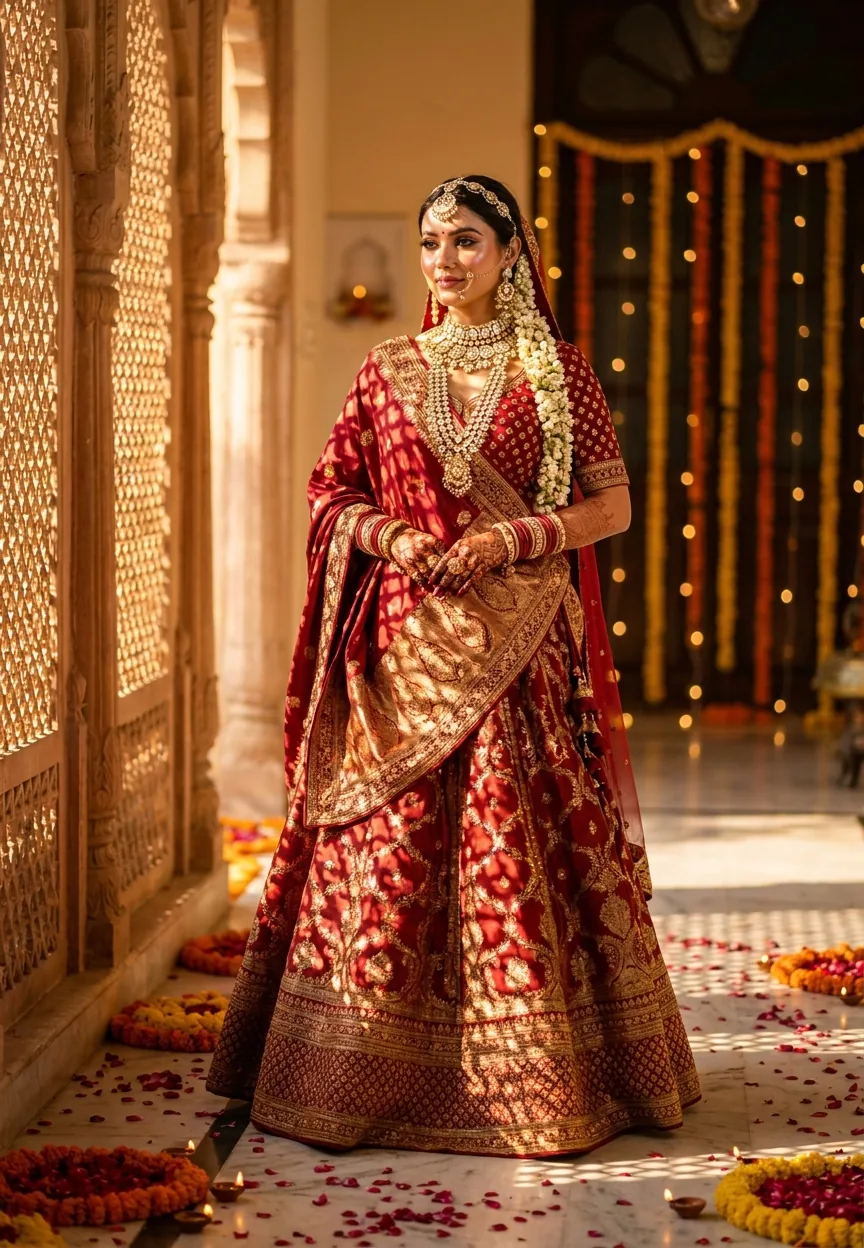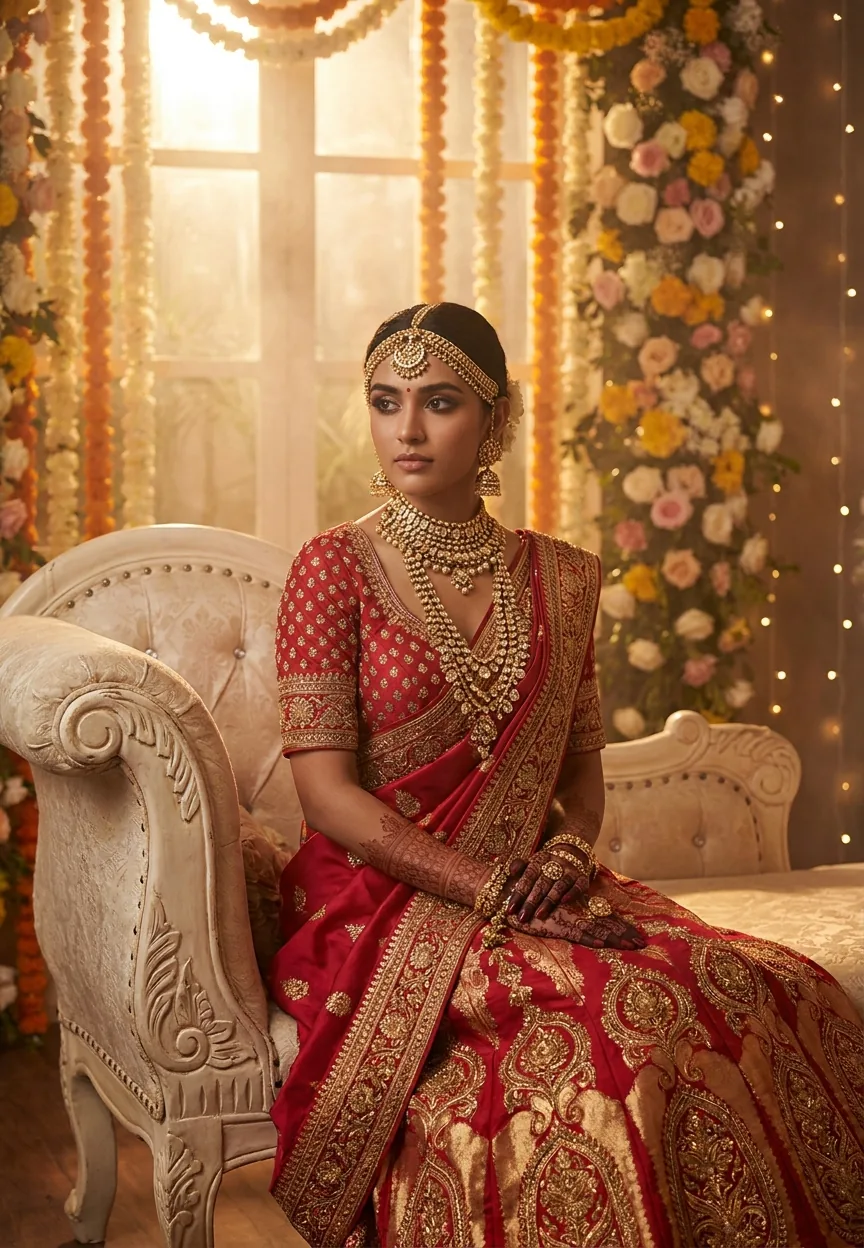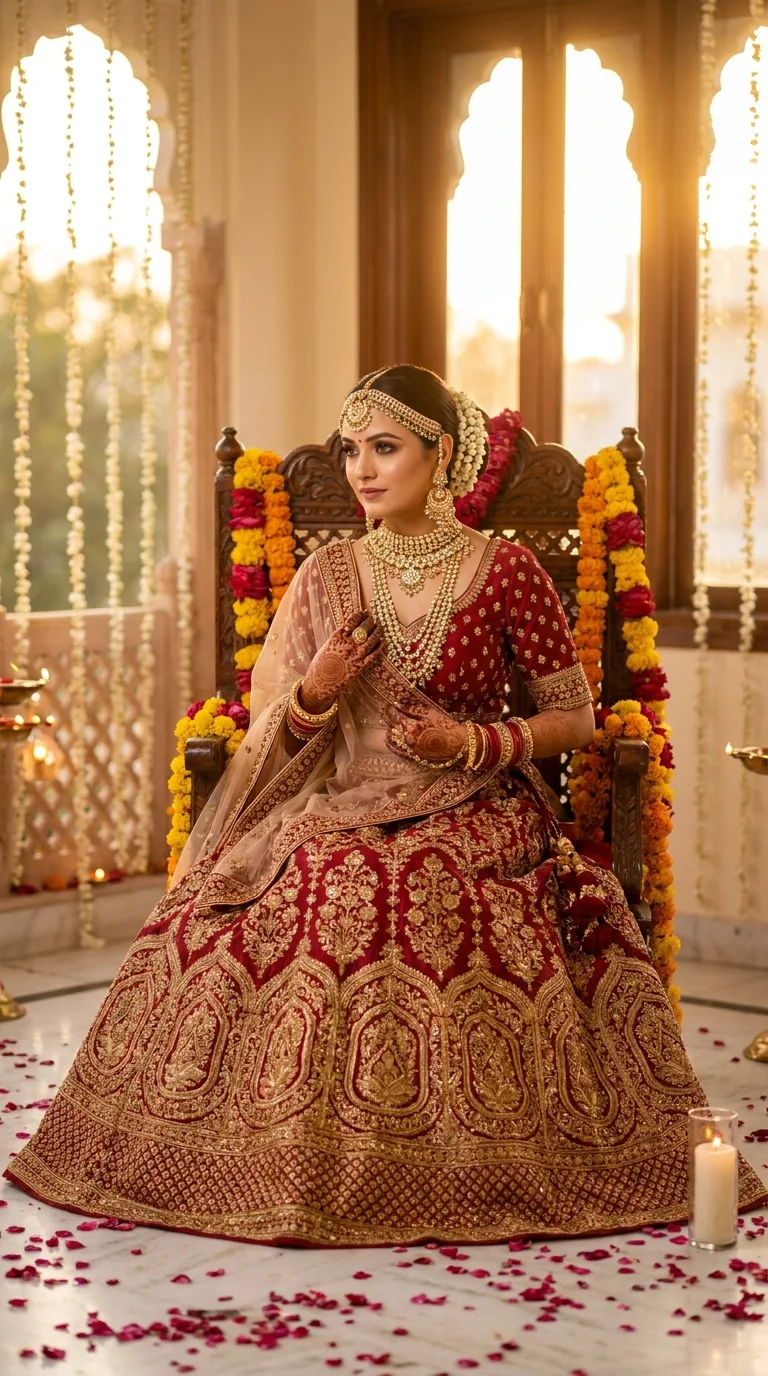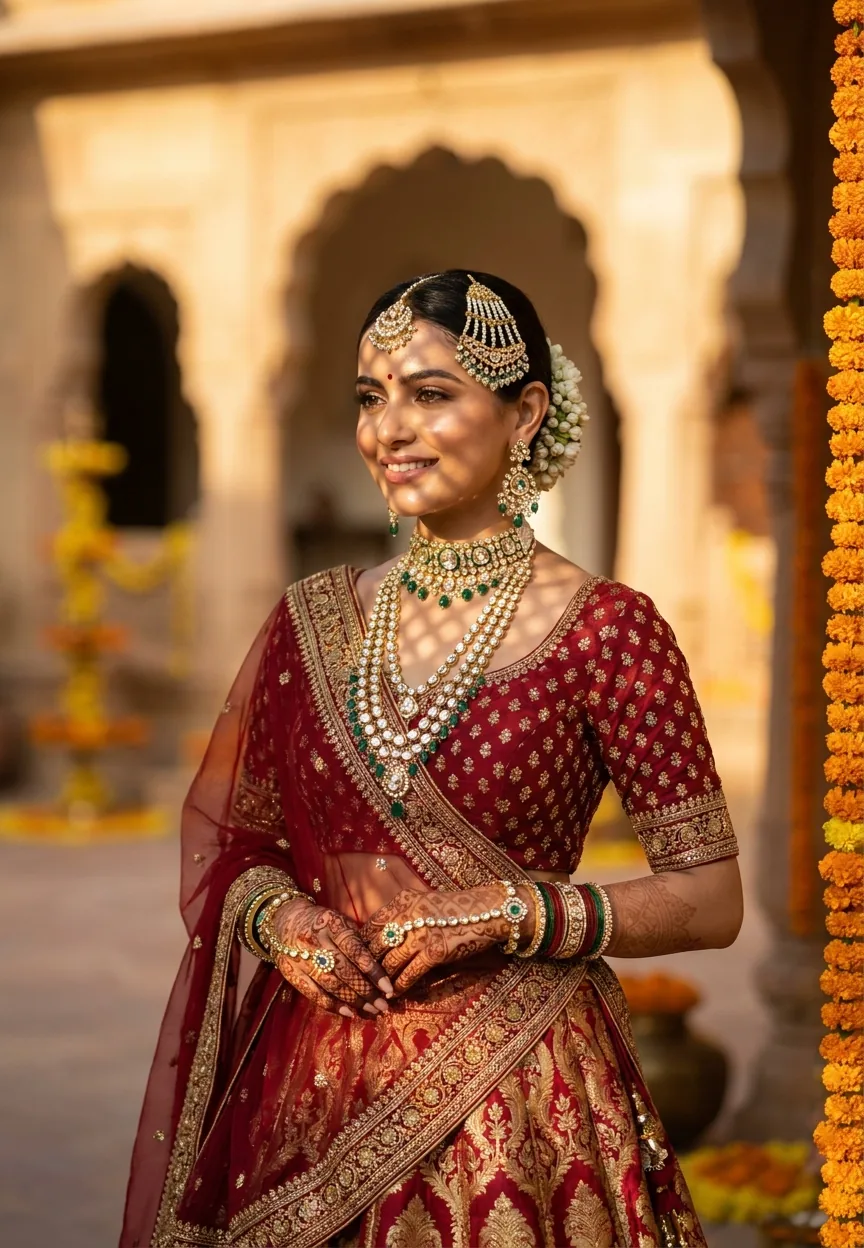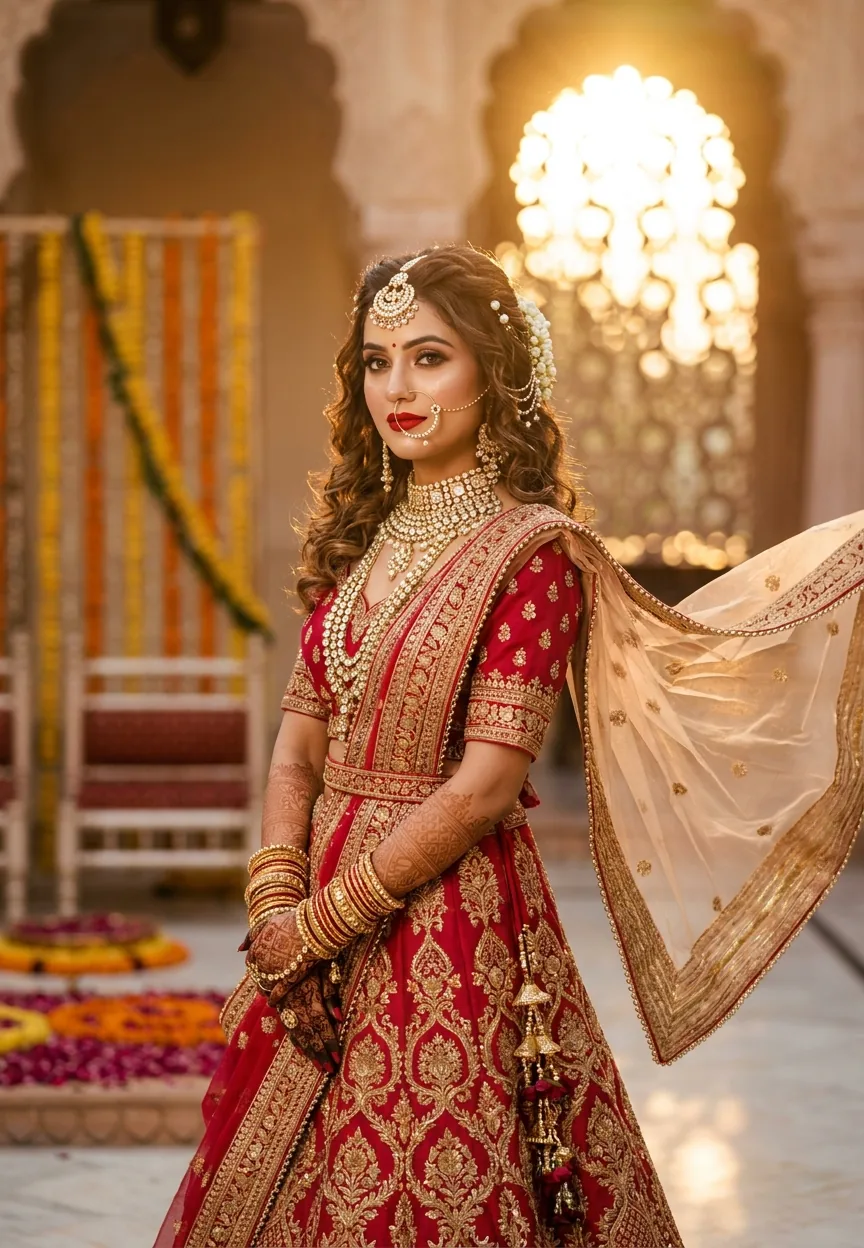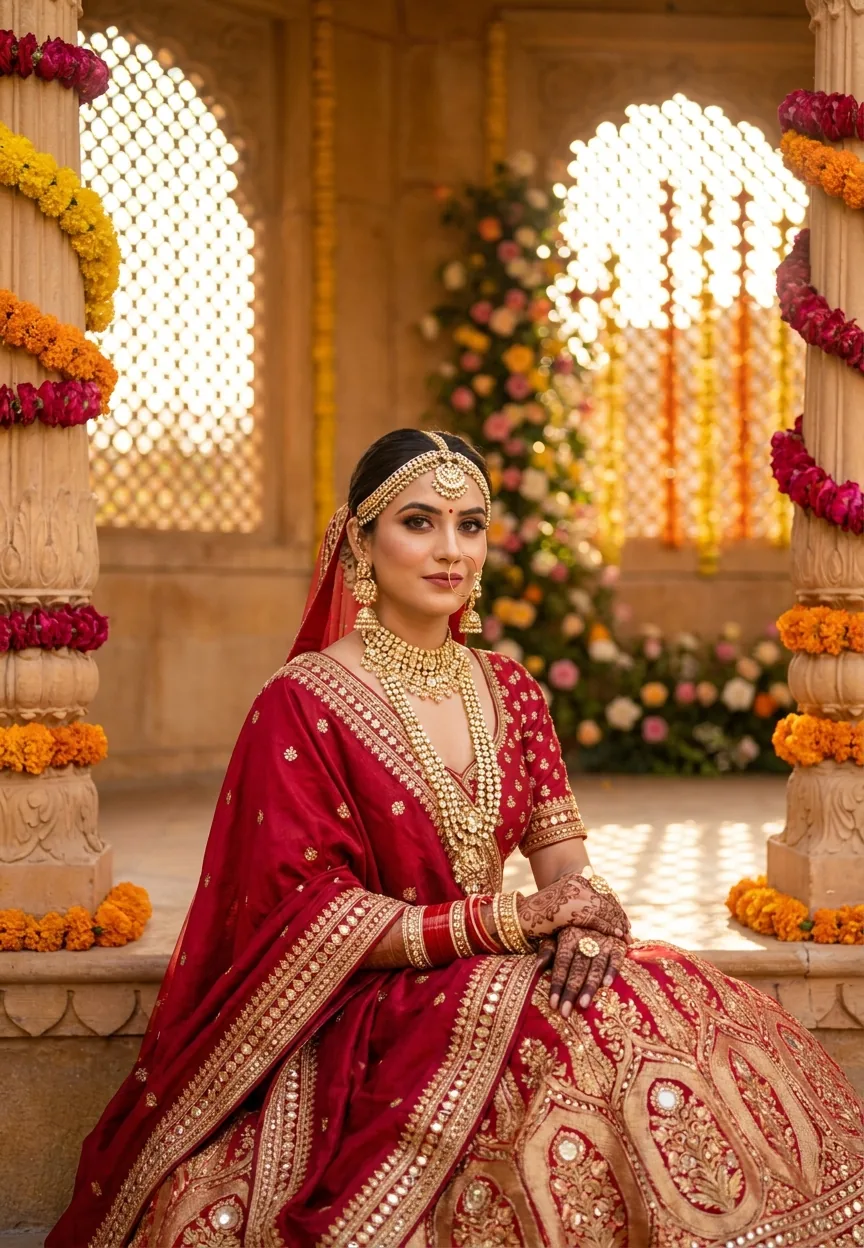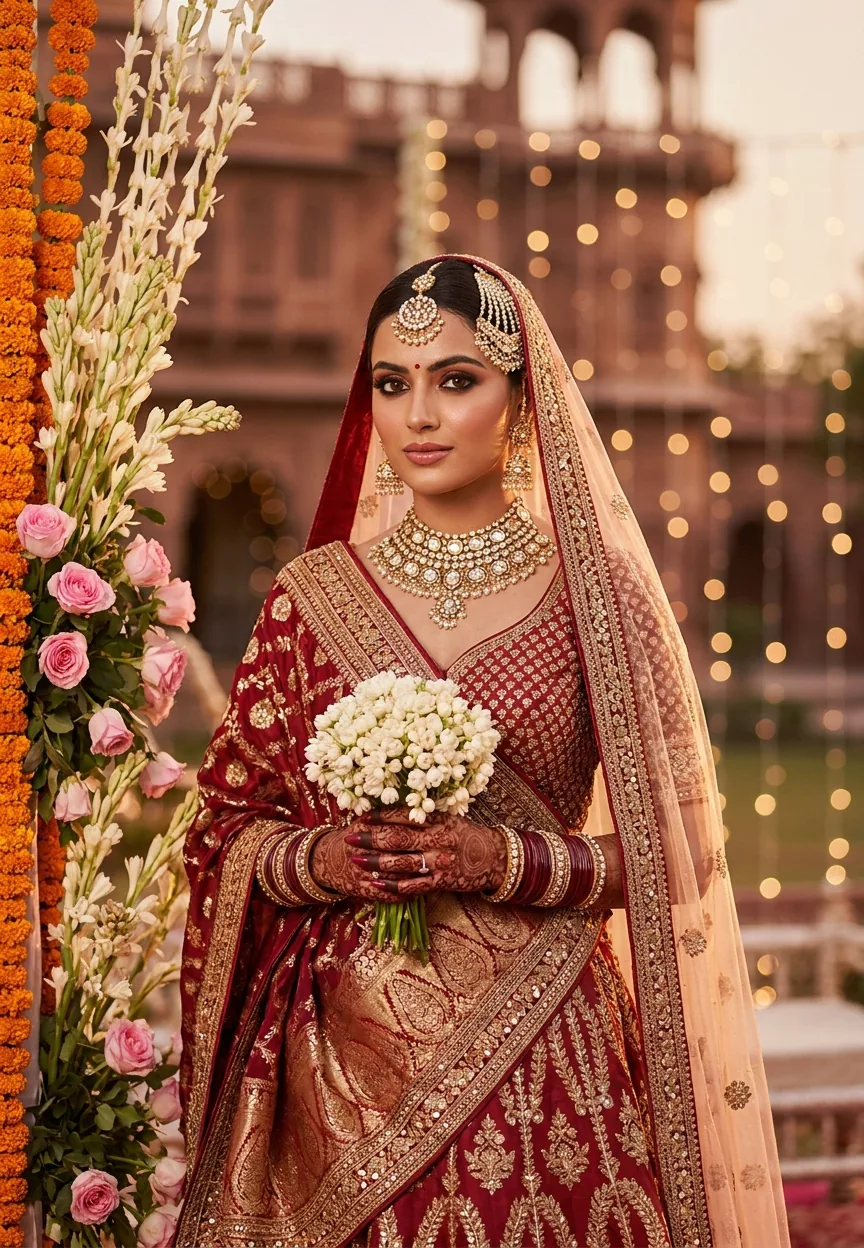
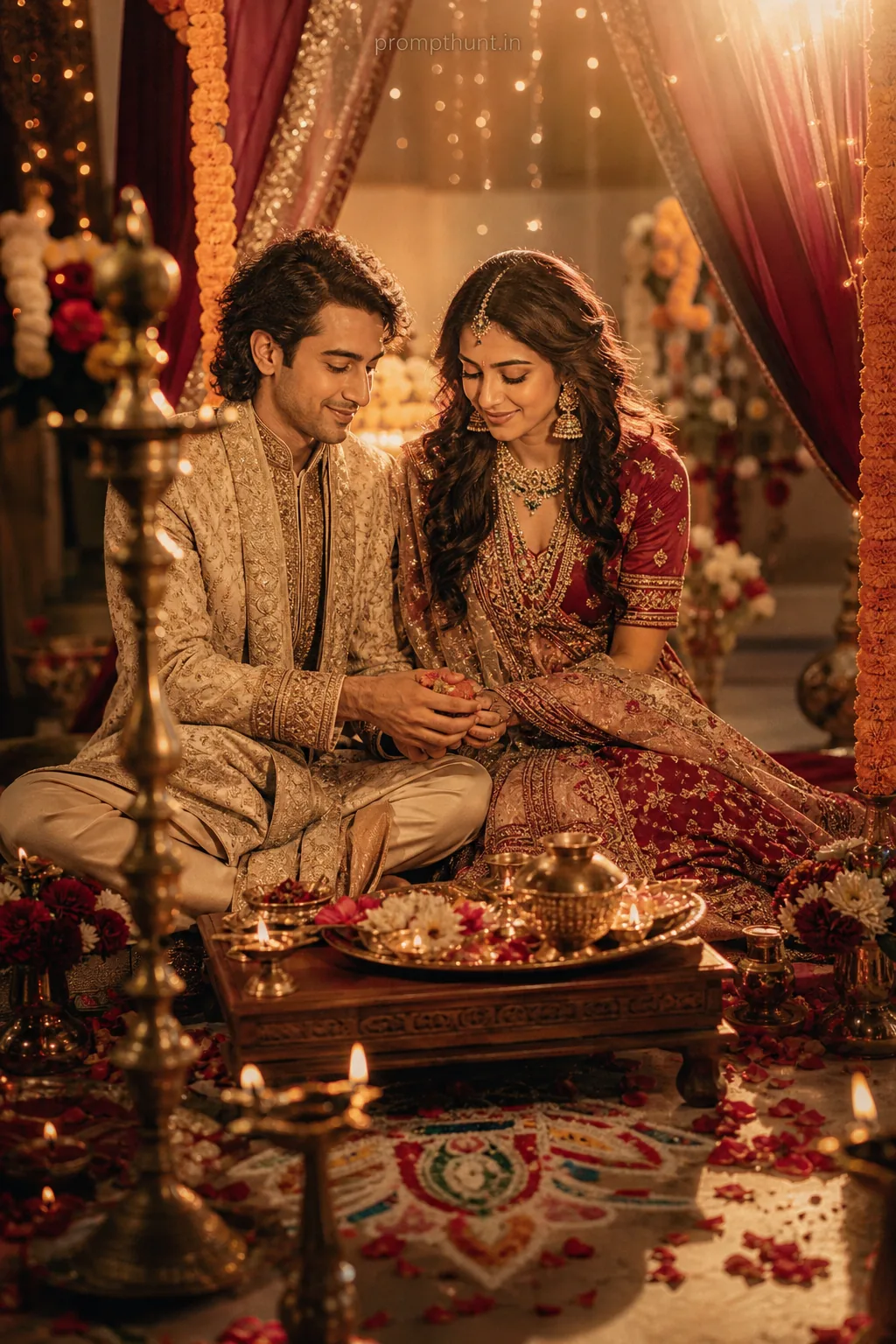
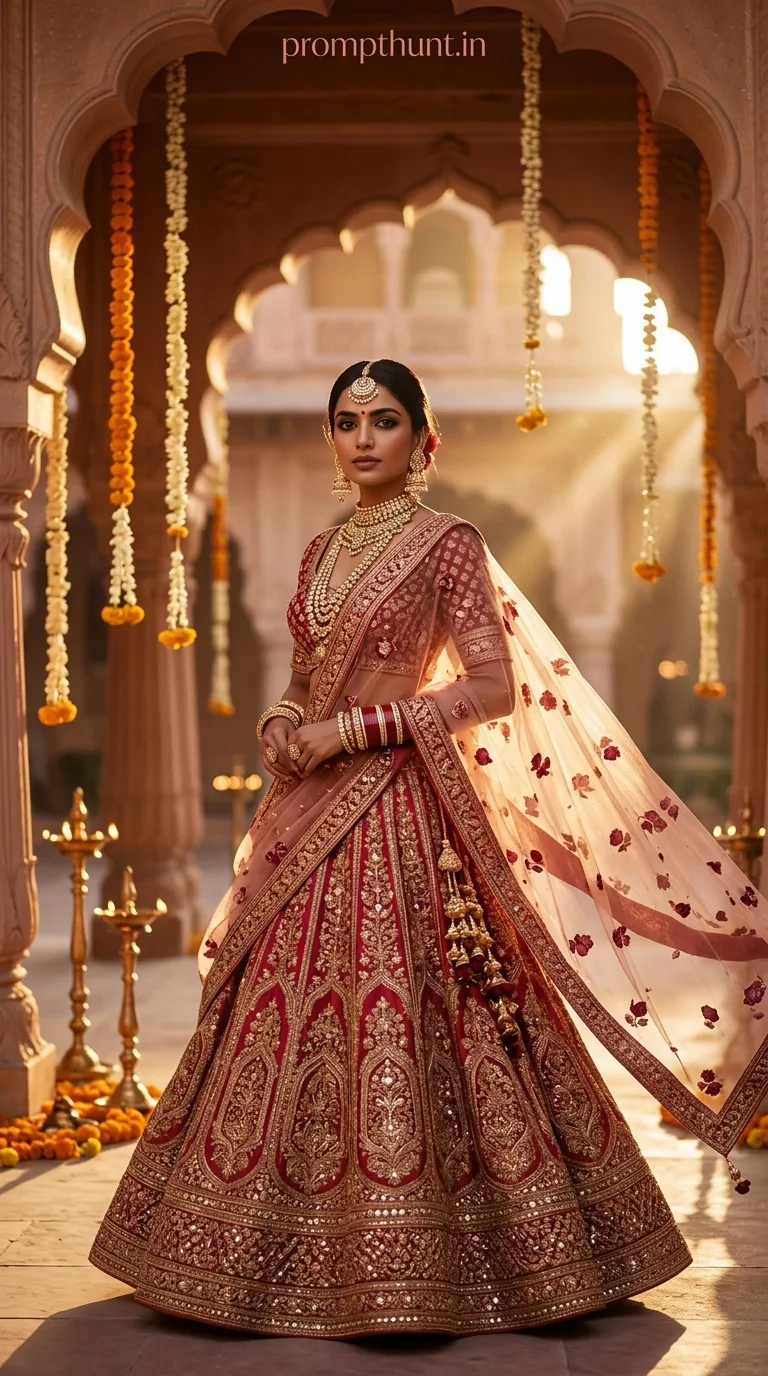
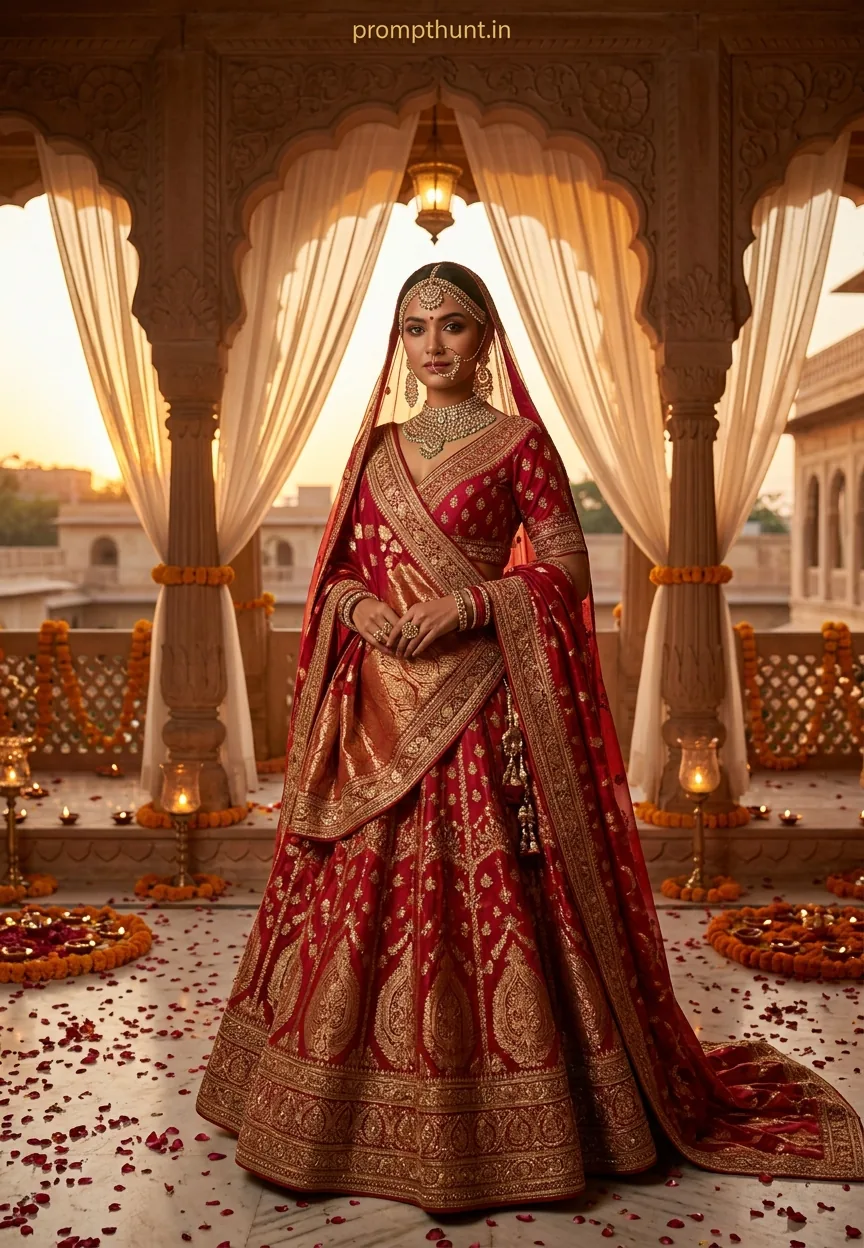
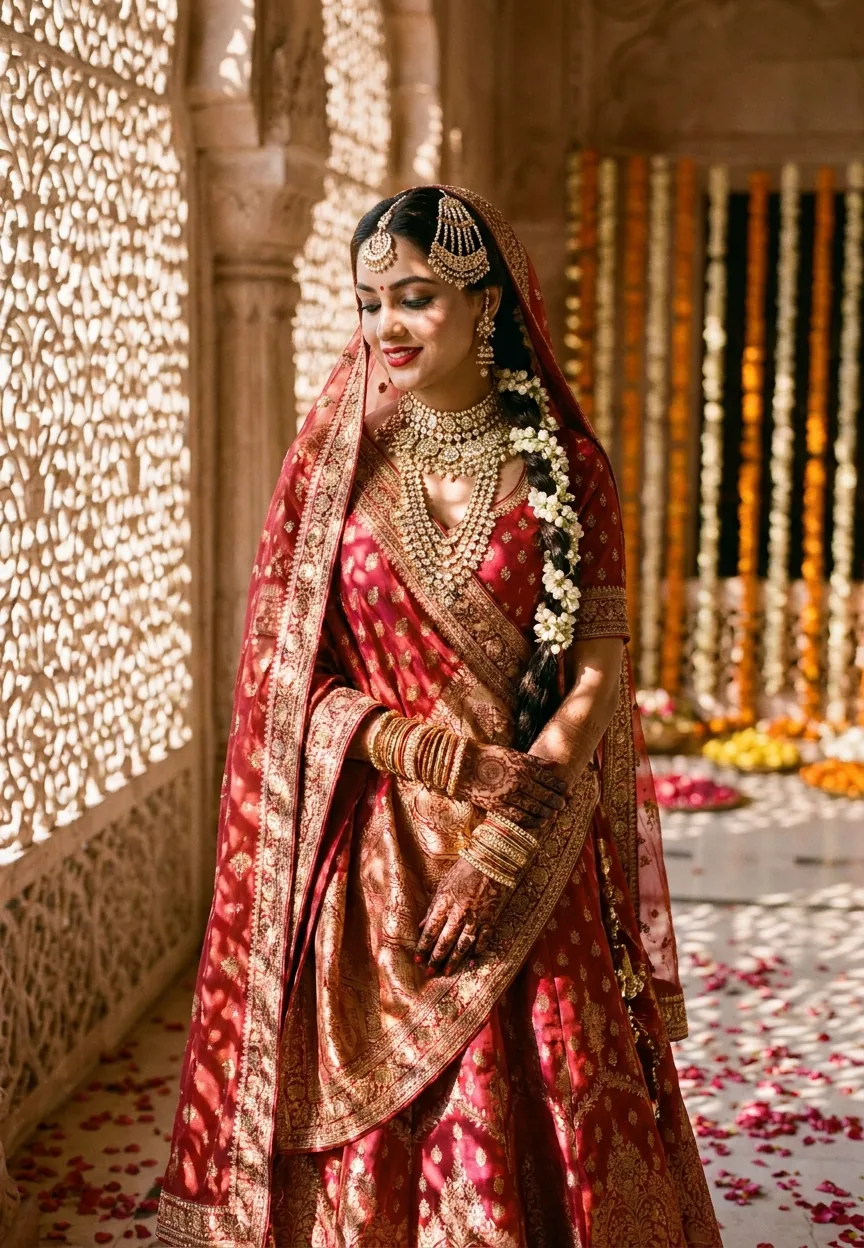
This AI photo editing prompt generates a cinematic Indian bridal portrait at golden hour — think Banarasi lehenga, kundan jewelry, marigold mandap, and a softly blurred Rajasthani haveli in the background. Paste it into Midjourney, Adobe Firefly, or DALL-E 3, adjust the jewelry and color details to match your wedding palette, and you get magazine-editorial results in under a minute.
Golden hour and a red lehenga walk into a prompt. The result? Arguably the most-shared AI bridal image style on Indian Pinterest boards right now. Wedding & engagement photography has always chased that perfect warm-light moment — the one where the silk catches the sun and everything looks like a Sanjay Leela Bhansali film set. AI photo editing has figured out how to bottle that moment, and this prompt is the recipe. If you have ever wished a photographer could shoot your vision before the actual wedding day, this is as close as it gets.
Copy this prompt into any major AI image generator to produce a cinematic, golden-hour Indian bridal portrait with Rajasthani architecture, kundan jewelry, and magazine-quality color grading — no camera, no studio, no budget required.
What This Wedding Style Actually Is
This is editorial Indian bridal photography — the AI version. It pulls from a very specific visual tradition: the rich warm tones of Rajasthani wedding photography, the depth of Banarasi silk, and the kind of bokeh-heavy portrait work you see in Brides Today or Vogue India.
The style leans on three pillars. First, light — golden hour, amber and rose tones, the sun doing roughly 80 percent of the creative work. Second, texture — zari embroidery, mirror work, polki stones, marigold garlands. Things that catch light and look spectacular doing it. Third, setting — a blurred haveli backdrop that says "Rajasthan" without needing a caption.
It is cinematic without being theatrical. Romantic without being saccharine. Think less Bollywood item number, more quiet moment before the baraat arrives. (The AI, unlike most baraat participants, will show up on time.)
The Prompt — Copy This Exactly
A stunning Indian bride in a rich deep red and gold Banarasi silk lehenga, standing in soft golden hour sunlight during a lavish outdoor wedding ceremony in Rajasthan. She wears an ornate kundan and polki bridal jewelry set — heavy necklace, maang tikka, passa, jhumka earrings, and stacked gold bangles. Her dupatta is draped elegantly over her head, embroidered with intricate zari and mirror work. Her hands are adorned with deep maroon bridal mehndi. She stands near a floral mandap decorated with cascading marigold garlands, white tuberoses, and pink roses. The background features a softly blurred ancient haveli with warm terracotta walls glowing in amber sunset light. Bokeh fairy lights shimmer in the distance. Her makeup is flawless — bold kohl-lined eyes, subtle smoky eyeshadow in copper and gold tones, glossy deep rose lips, and a natural dewy skin finish. She holds a bridal bouquet of white mogra flowers. The overall mood is cinematic, warm, and deeply romantic. Shot in 9:13 vertical portrait format with a shallow depth of field, ultra-realistic photography style, magazine editorial quality, 8K resolution, golden and rose-tinted color grading.
How to Use This Prompt — Three Steps, No Surprises
Step one: pick your tool. Midjourney gives you the most painterly, editorial feel and handles the fabric textures exceptionally well. Adobe Firefly is the safer choice if you need commercially licensed output — useful if you are a wedding planner or designer using this for client mood boards. DALL-E 3 via ChatGPT is the quickest for iteration because you can describe changes in plain English. Stable Diffusion with a fine-tuned bridal model gives you the most control, but costs you an afternoon of setup.
Step two: paste the prompt as-is for your first generation. Do not tweak anything yet. See what the base output looks like. Nine times out of ten, the first result tells you exactly which element needs adjusting — usually the face or the jewelry detail.
Step three: iterate on one variable at a time. Change the lehenga color. Swap Rajasthan for Kerala or Udaipur. Replace kundan jewelry with temple gold. Each change in isolation tells you what is actually working. Change everything at once and you will spend three hours confused, which is a mood better reserved for the actual wedding seating chart.
Tips That Actually Make a Difference
Specify the skin tone. The prompt as written is deliberately open, but adding "warm wheatish complexion" or "deep south Indian skin tone with golden undertones" dramatically improves how the AI handles the lighting relationship between the bride and the golden hour. This matters more than almost any other single adjustment.
Add a camera reference. Appending "shot on Canon EOS R5 with 85mm f/1.4 lens" to the end pushes most generators toward sharper, more realistic portrait rendering. It sounds fussy. It works.
Lock the aspect ratio early. The prompt specifies 9:13 vertical — that is a tall portrait format, ideal for Instagram Stories and wedding album pages. In Midjourney, add --ar 9:13. In Firefly, set it in the panel before generating. Getting this wrong and cropping later costs you the bokeh in the lower frame, which is where the fairy lights live.
For jewelry detail, add "macro-level detail on kundan stones, sharp zari thread detail on dupatta." AI generators tend to blur intricate Indian jewelry without a specific instruction to hold it sharp. Rule of thumb: if it is a detail you would zoom into on a real wedding photo, name it explicitly in the prompt.
Run at least four variations before deciding the style does not suit you. The first output is a draft. Even Rembrandt probably had a rough first sketch. (Rembrandt also never had to deal with Midjourney's occasional sixth-finger situation, so fair enough, he had it easier.)
Why This Style Is Everywhere Right Now in India
Three things happened at roughly the same time. AI image generators got good enough to handle fine textile detail — something that was genuinely terrible as recently as 2022. Indian wedding content exploded on Pinterest and Instagram Reels as a standalone aesthetic category, not just inspiration boards. And wedding planners discovered that AI mood boards cut client approval cycles from three meetings down to one.
There is also something more personal happening. Destination weddings in Rajasthan — Udaipur, Jodhpur, Jaipur — carry enormous aspirational weight in the Indian wedding market. Not every family has the budget for a heritage haveli. An AI-generated editorial portrait in that setting lets couples visualise, share, and dream at no cost. It is wish fulfillment with a color grading filter on top.
Wedding photographers are also using this prompt style as a pre-shoot planning tool. Show the bride the AI output, discuss what to replicate and what to change, then execute on the actual day. Less guesswork, happier client, and the photographer arrives knowing exactly what shot they are after.
Honest Opinion — When to Use This and When to Walk Away
This prompt does one thing brilliantly: it nails the warm, golden, editorial Indian bridal aesthetic that currently dominates wedding content. If that is the vibe you are going for, it is genuinely one of the best AI prompts I have tested for this genre. The fabric, the light, the setting — the combination is almost suspiciously good on a strong generation.
But here is where I would pump the brakes. Faces are still the weak link. Every AI generator in 2024 has a version of the uncanny valley problem with portrait faces under heavy stylisation. The more elaborate the makeup prompt, the higher the chance of generating something that looks slightly off — eyes that do not quite sit right, lips that blur into the skin. If you are using this for anything client-facing, plan to run 15 to 20 variations and manually select the best face output. Or use Firefly's "Generative Fill" to composite a better face from a separate generation.
I would also not use this prompt if the brief calls for South Indian bridal styling — silk Kanjivaram, temple jewelry, mango motifs, jasmine in the hair. The prompt is deeply Rajasthani-North Indian in its DNA. You can adapt it, but honestly, that deserves its own dedicated prompt built from scratch rather than a heavily modified version of this one. Using the wrong regional bridal aesthetic is the AI equivalent of serving biryani at a Kerala Sadya. People will notice.
One more thing. If you are generating these for commercial use — marketing, advertising, stock — double-check your platform's licensing terms first. Midjourney commercial licensing requirements and Firefly's Content Credentials system handle this differently. Do not learn about commercial restrictions the hard way, which is to say, do not learn about them from a lawyer.
Final Word
This is one of the genuinely great AI photo editing prompts for wedding and engagement content. It is specific enough to generate consistently beautiful results, flexible enough to adapt to different regional styles and briefs, and visually on-trend with what Indian wedding audiences actually want to see. Copy it, run four variations, tweak the jewelry and the location detail, and you will have something that looks like it cost a lot more than the time it took to paste text into a box. The lehenga is always worth it. Even the AI one. Now go generate something beautiful — and maybe name the haveli. It deserves a credit.