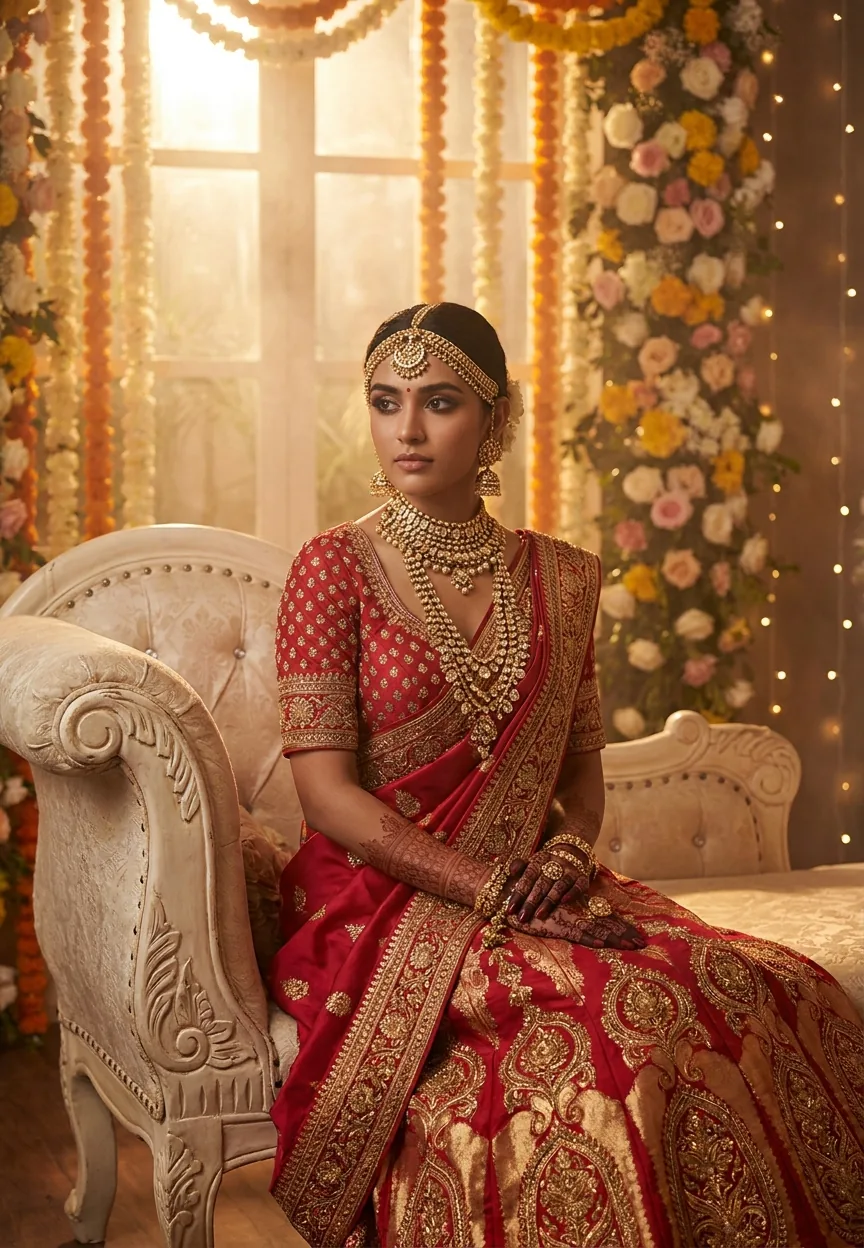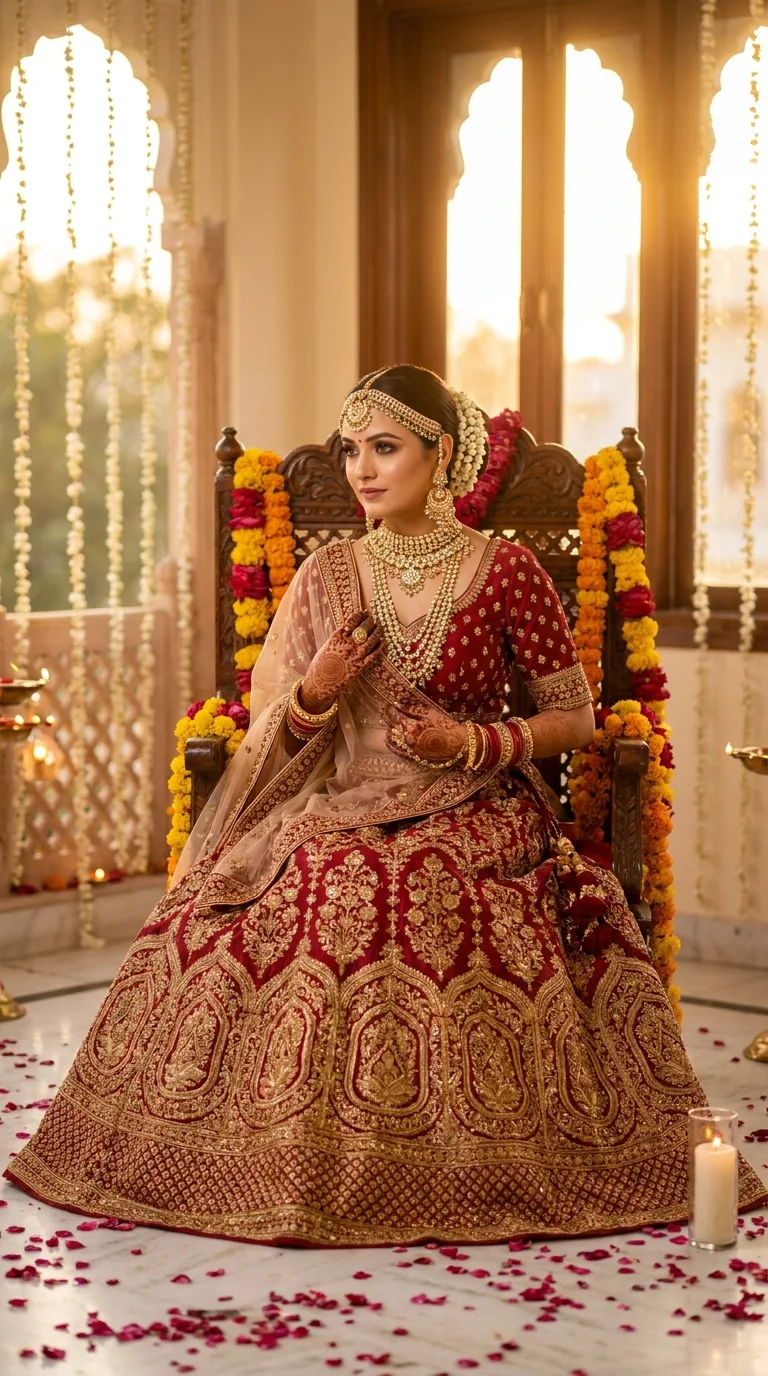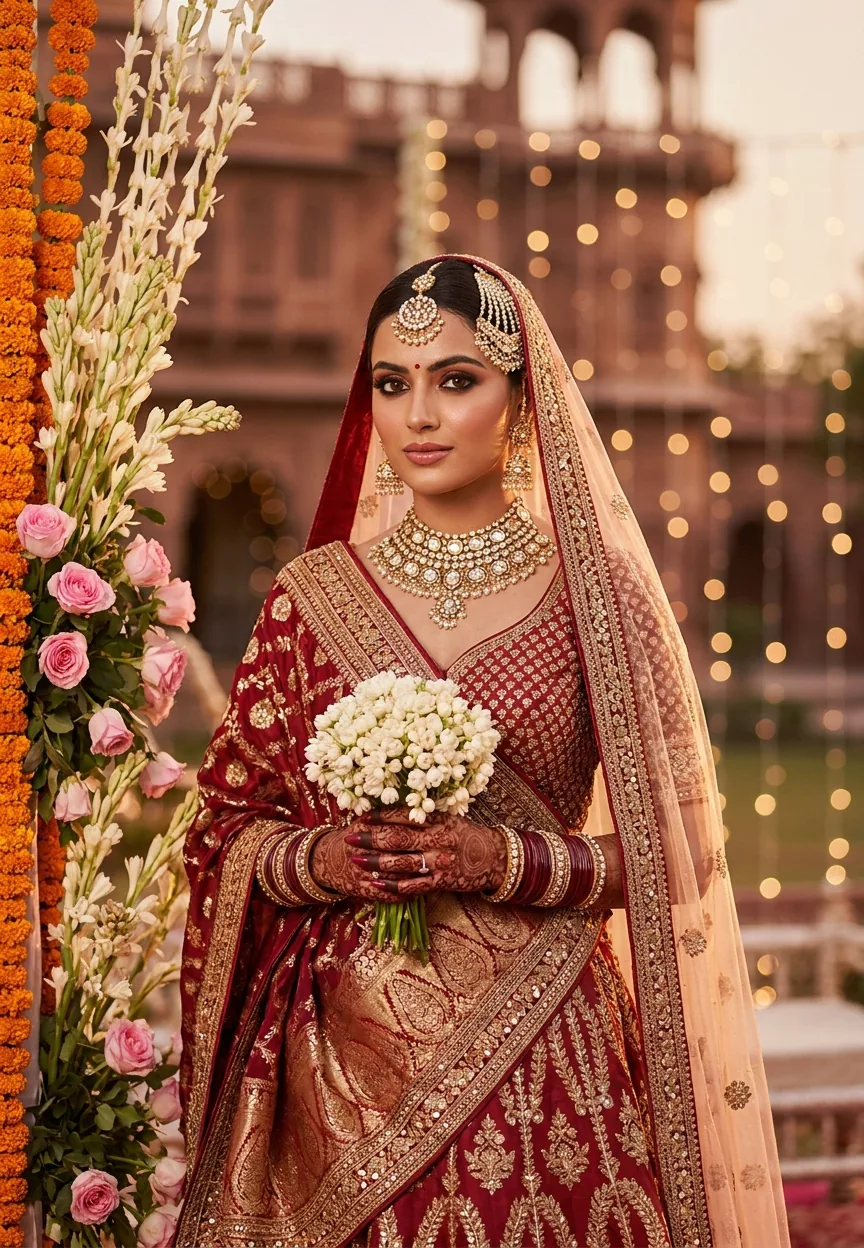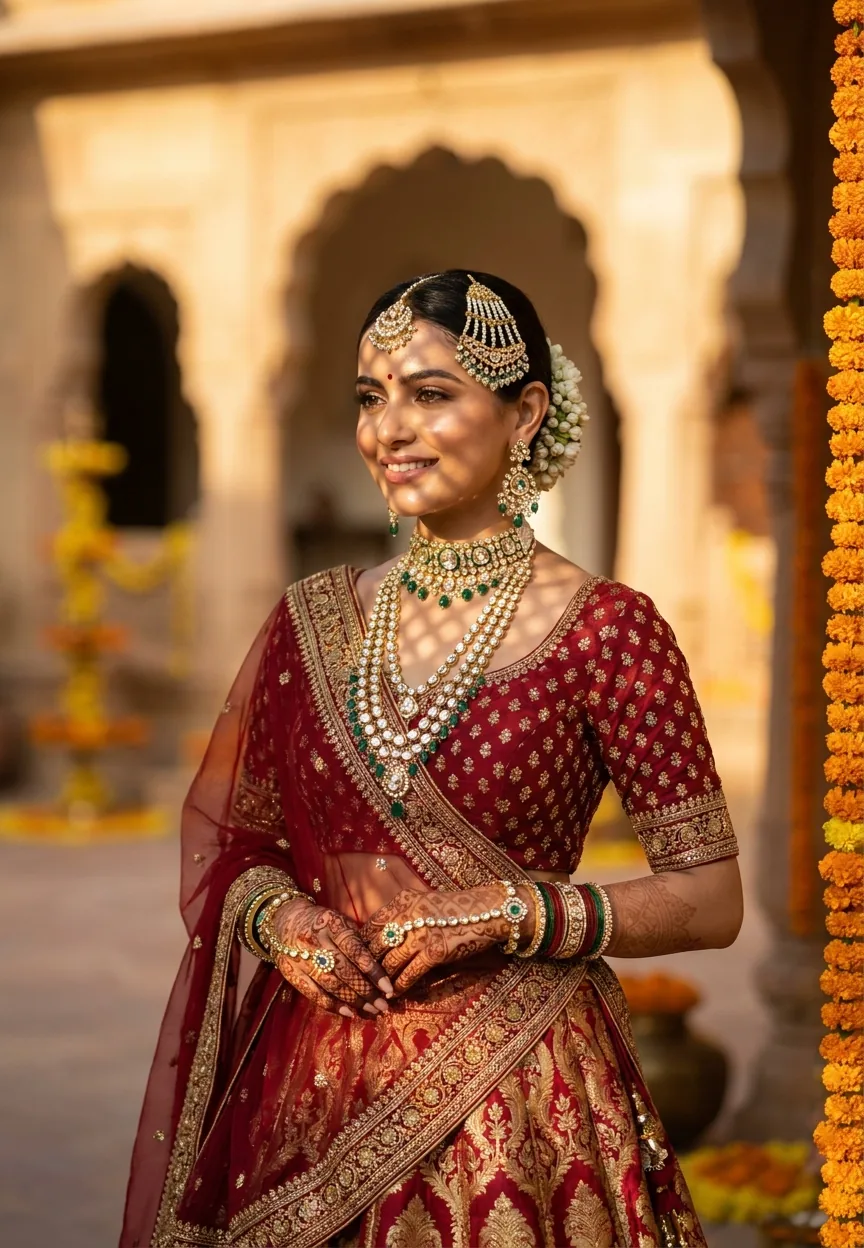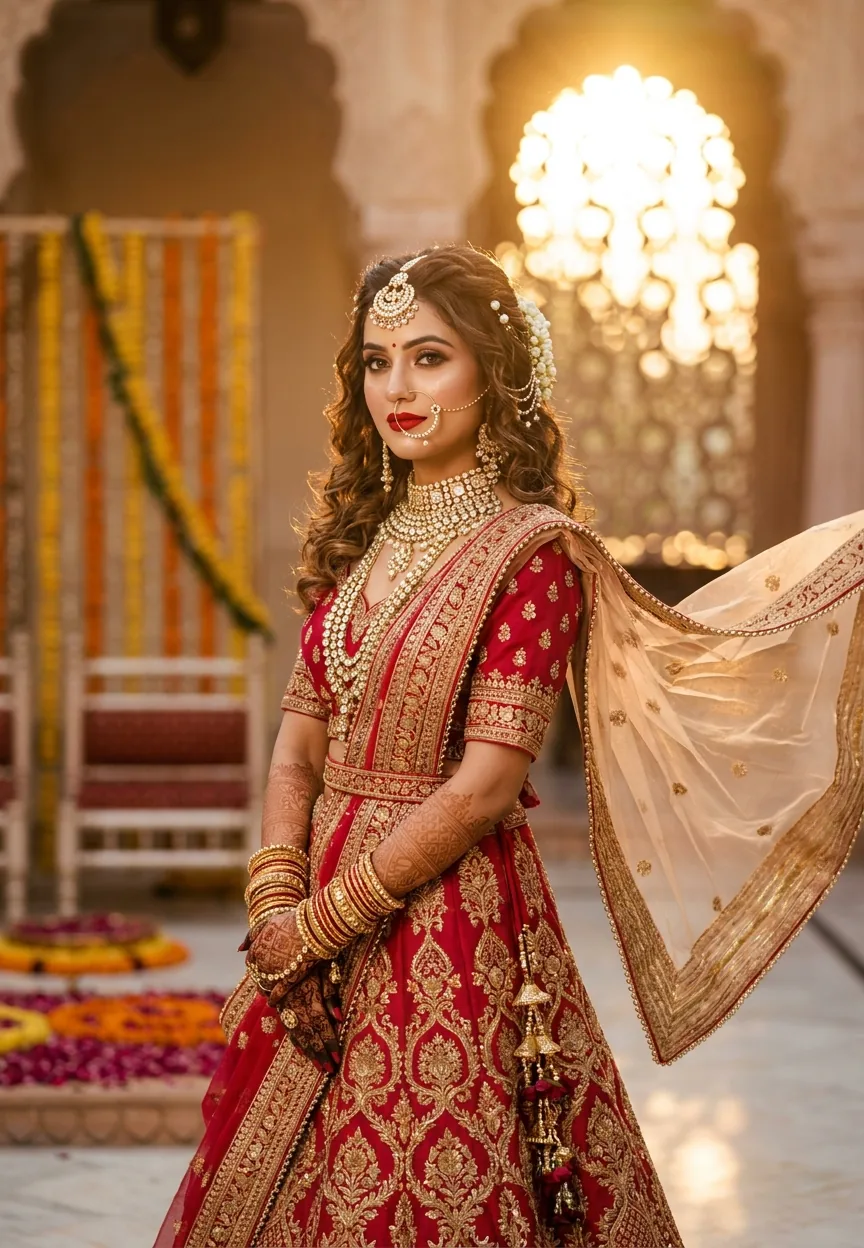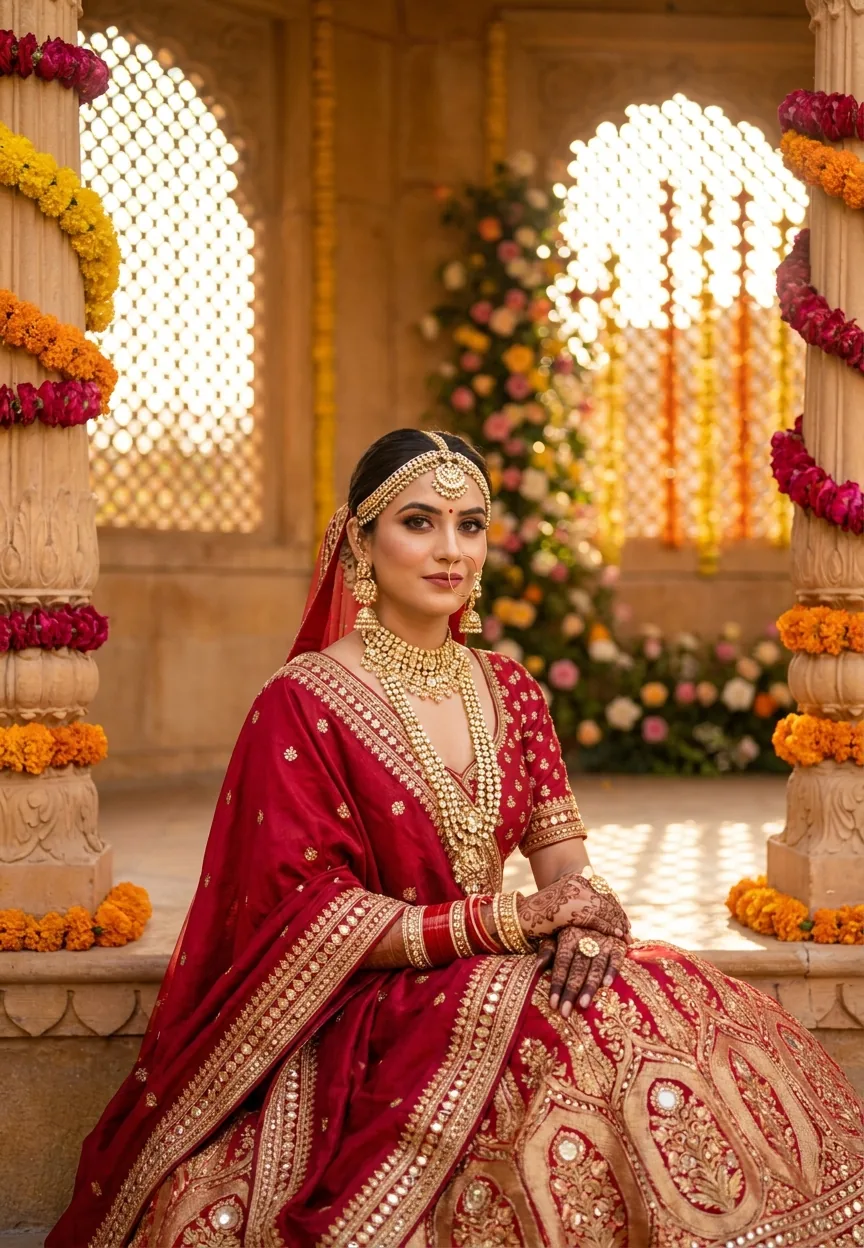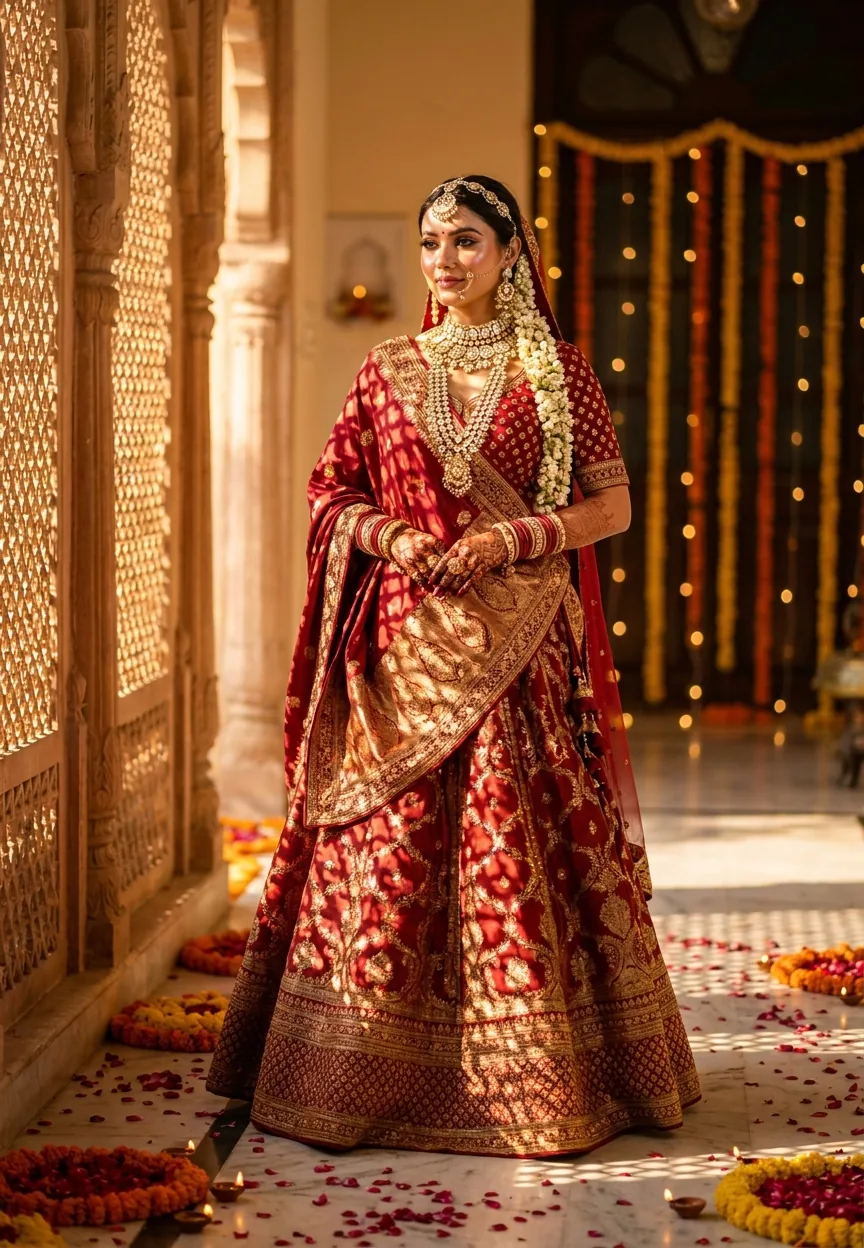
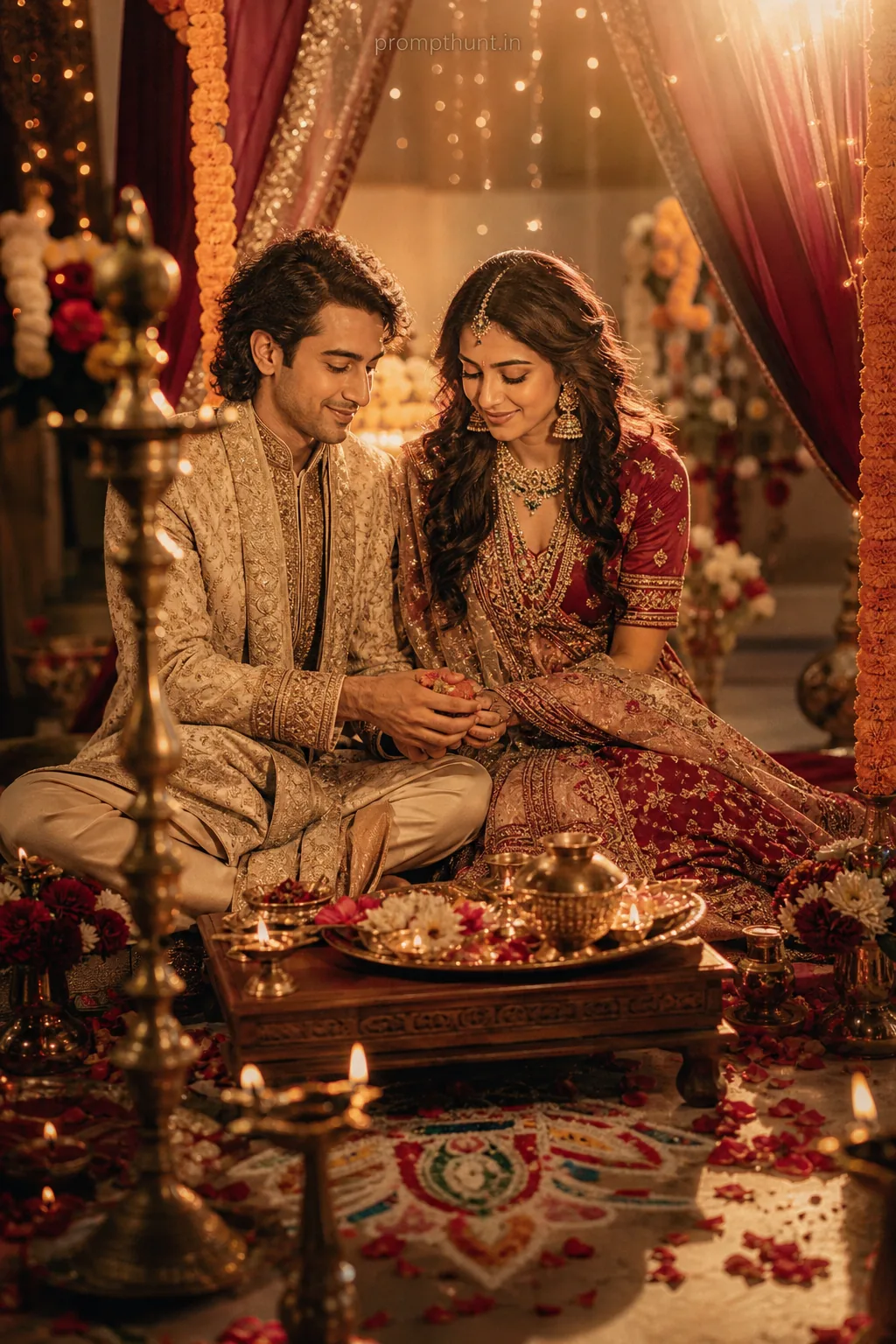
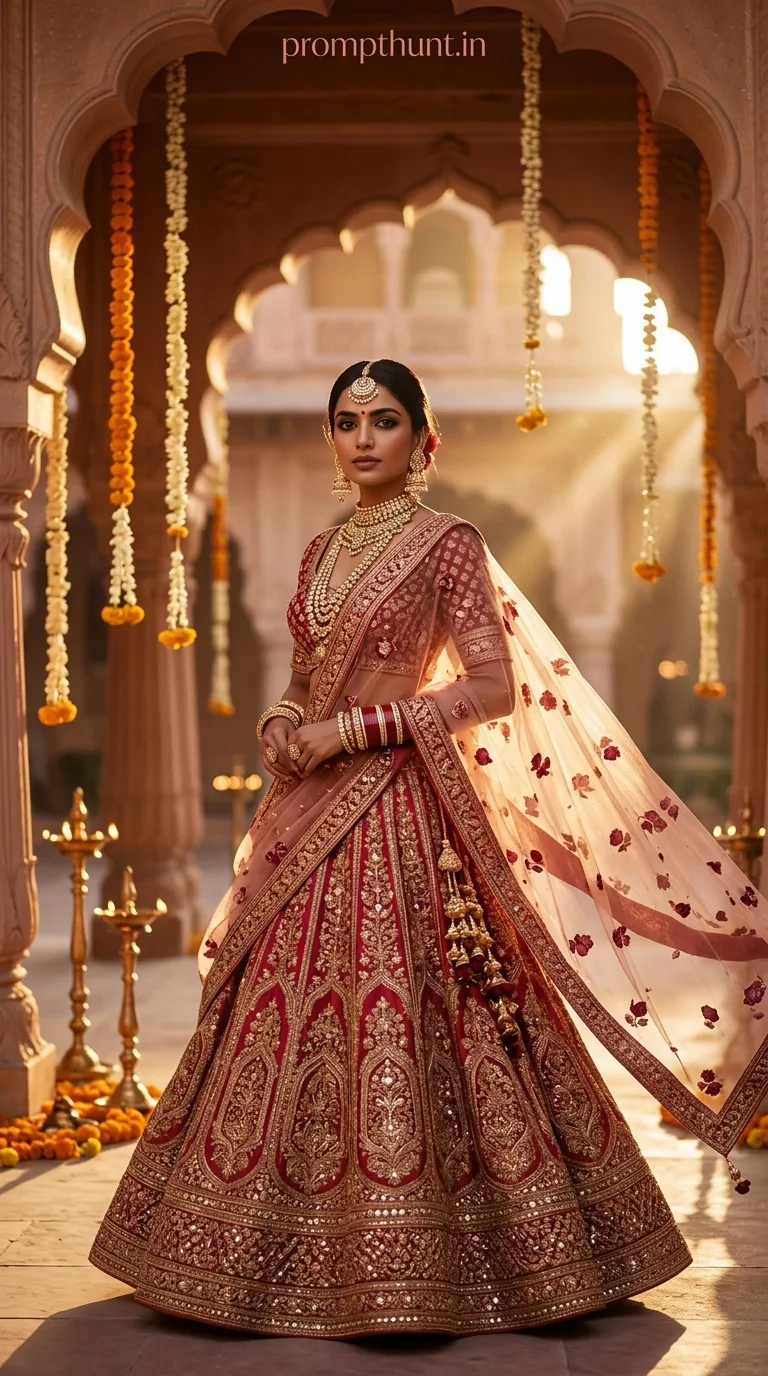
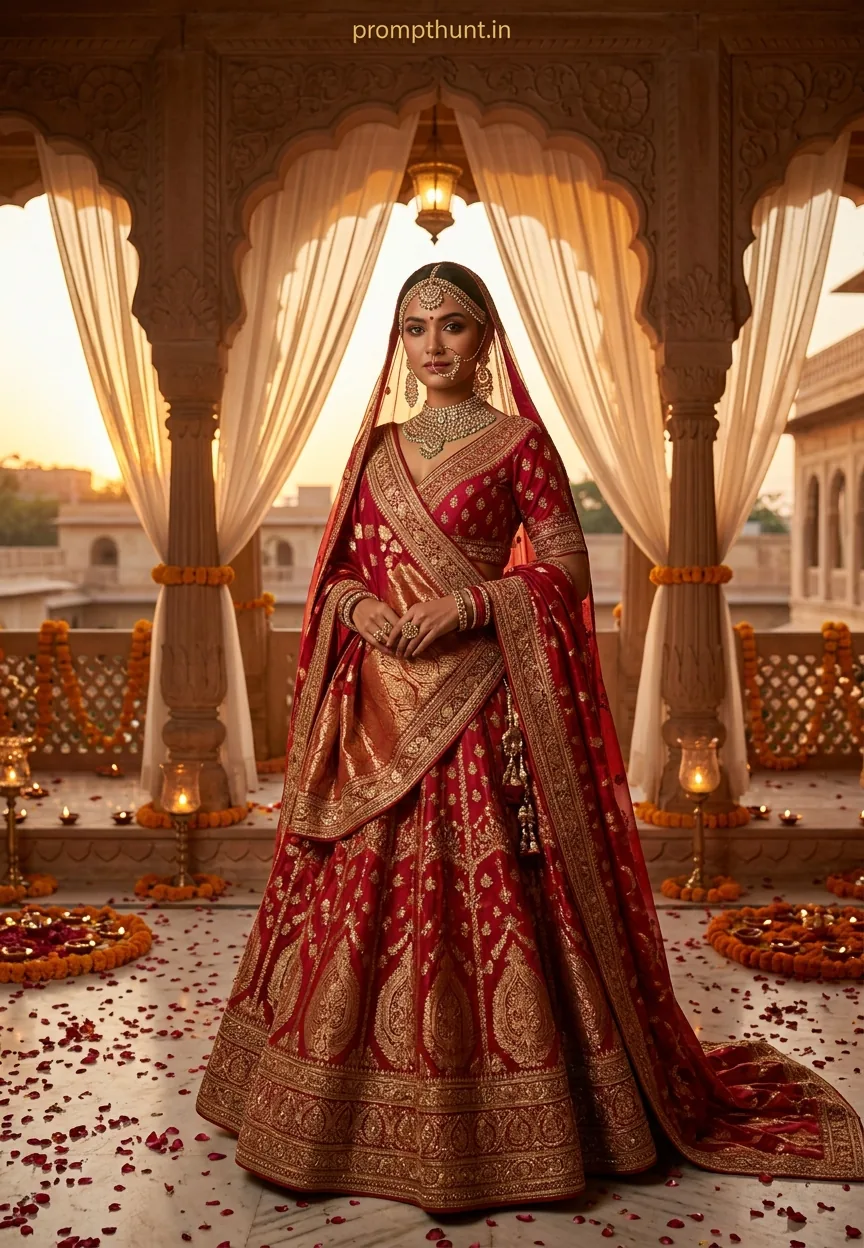
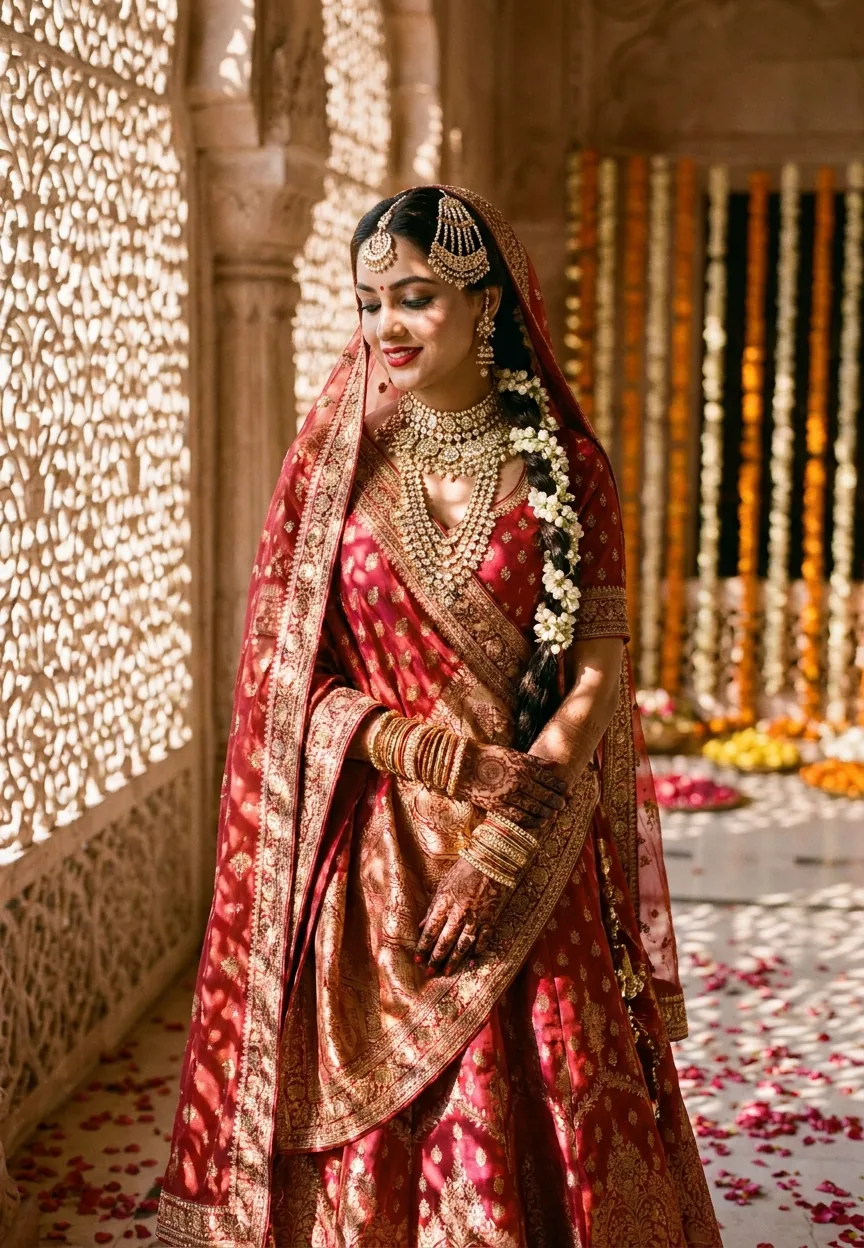
The Royal Indian Bride Glow prompt recreates a cinematic, golden-hour bridal portrait with deep red Banarasi silk, polki jewelry, and lattice shadow patterns in a haveli courtyard. Paste it into Midjourney, Adobe Firefly, or similar AI tools for a magazine-cover-quality wedding portrait that looks like it cost a professional photographer three lakhs to shoot.
Royal Indian Bride Glow: The Wedding AI Photo Editing Prompt Everyone Is Using Right Now
There is a moment at every Indian wedding — usually around 6pm, when the golden light hits just right, the marigolds are fresh, and the bride hasn't yet been ambushed by a distant relative with an opinion about her mehendi. That moment, frozen perfectly, is exactly what this prompt captures. The Royal Indian Bride Glow prompt is the most detailed, most cinematic, most outright gorgeous AI wedding prompt doing the rounds right now. And yes, it absolutely slaps every time.
Paste this prompt into Midjourney or Adobe Firefly and you'll get a hyperrealistic Indian bridal portrait with cinematic warm tones, haveli architecture, lattice shadows, and enough jewelry detail to make a goldsmith weep.
What Is the Royal Indian Bride Glow Style
This is editorial fashion photography meets Indian wedding tradition, rendered entirely by AI. The style leans on three visual pillars.
First, location. A haveli courtyard — those grand old Rajasthani mansions with ornate jharokha windows — creates instant old-money atmosphere. The lattice shadows those windows cast across a lehenga are the kind of detail that makes photographers cry actual tears of professional jealousy.
Second, light. Golden hour, warm amber tones, soft bokeh of fairy lights in the background. It is cinematic in the truest sense. Not the "cinematic" your cousin uses to describe any photo with a filter on it. Actually cinematic.
Third, specificity. Banarasi silk. Polki diamond and kundan jewelry. Zari border dupatta. Jasmine garlands. Diyas on marble floors. This prompt does not say "Indian bride wearing nice things." It names every item, every texture, every fabric. That specificity is precisely why the output quality is so high. The AI has something real to work with. Rule of thumb: the more specific your prompt, the less likely the AI invents something completely unhinged.
The result looks like a Vogue India cover shot on a Rs 40 lakh budget. Produced, in reality, for the cost of a Midjourney subscription.
The Wedding and Engagement Prompt Itself
A stunning Indian bride in a heavily embroidered deep red and gold Banarasi silk lehenga, standing in a grand haveli courtyard during golden hour, soft warm sunlight streaming through ornate jharokha windows casting lattice shadow patterns across her outfit, her face adorned with traditional bridal makeup featuring bold kajal, glossy rose-tinted lips, and a radiant dewy skin finish, wearing layered polki diamond and kundan jewelry including a maang tikka, nose ring, and statement neckpiece, dupatta elegantly draped over her head with delicate zari border, hands decorated with intricate mehendi reaching up her forearms, loose curly hair pinned with fresh jasmine garlands, surrounded by scattered rose petals and diyas on the marble floor, bokeh background of fairy lights and marigold flower decorations, shot in editorial fashion photography style with cinematic color grading, rich warm tones of amber and saffron, ultra-realistic skin texture, ultra-detailed fabric embroidery, 9:13 vertical portrait aspect ratio, shot on Sony A7R V with 85mm f/1.4 lens, magazine cover quality, hyperrealistic, 8K resolution
How to Use This Prompt Step by Step
Copy the prompt exactly as written. Do not paraphrase. AI image generators are literal creatures with zero patience for ambiguity (they are, in that way, the opposite of a wedding caterer).
Step one. Open Midjourney, Adobe Firefly, or Leonardo AI. All three handle fabric texture and jewelry detail well. Stable Diffusion works too, but you will likely need a fine-tuned model for the skin tone accuracy to land properly.
Step two. Paste the prompt in full. In Midjourney, add --ar 9:13 at the end if the tool does not pick up the aspect ratio instruction from the text. The vertical portrait ratio is non-negotiable — this was built for phone screens and magazine layouts.
Step three. Generate four variations. Do not stop at one. The first result is a rough draft. The second or third is usually where the magic shows up.
Step four. Once you have a strong base image, run it through Adobe Lightroom or Luminar Neo for any final colour grading. Nudge the amber tones warmer. Lift the shadows slightly so the jewelry detail doesn't disappear into darkness.
Step five. For social media, export at maximum resolution. This prompt was engineered for 8K output. Compressing it down to Instagram dimensions still looks extraordinary, but you want that source file sharp enough to print on canvas if anyone asks.
Tips for Best Results With This Style
Nine times out of ten, the jewelry detail is the first thing to look slightly off. Polki and kundan work has extremely fine goldwork, and AI occasionally decides to improvise. If the neckpiece looks like it was designed by someone who has only heard jewelry described over the phone, regenerate. It is worth the extra thirty seconds.
Keep the skin tone instruction. The "ultra-realistic skin texture" and "dewy skin finish" phrases are load-bearing. Remove them and you risk the AI producing something that looks more like a wax museum exhibit than a real person.
The haveli courtyard setting is doing a lot of the heavy lifting atmospherically. If you swap it for a generic outdoor garden, the image loses that specific grandeur. If you want variation, try "Udaipur palace courtyard" or "Shekhawati haveli" instead — you keep the architectural DNA while shifting the specific location.
Marigold decorations in the bokeh background can sometimes overpower the foreground subject. If the background looks too busy, add "subtle bokeh" or "soft defocused background" as an additional instruction. The bride is the headline. The marigolds are the supporting cast.
For photographers using this as a concept board or client mood reference — print it. Seriously. Hand a client this image in a physical format and the conversation about creative direction becomes about 40% easier. People respond to something they can hold.
Why This Wedding Style Is Trending Right Now
Indian wedding photography has always been big. The budgets are serious, the expectations are serious, and the families have opinions that are — also serious, and numerous. What has changed is the planning process.
Couples are using AI-generated concept images to walk into photographer consultations with a clear visual brief. Instead of saying "something cinematic and traditional but also modern," they show a reference image. The photographer immediately knows exactly what they are working toward. It saves time. It saves confusion. It occasionally saves relationships.
The haveli-and-golden-hour aesthetic has also been building for years through Instagram and Pinterest, driven by destination weddings in Rajasthan and UP. This prompt essentially packages that entire visual trend into a reproducible format. Anyone can generate the image. Anyone can use it as inspiration. The style was already popular — AI just made it accessible.
There is also a practical reason. Pre-wedding lookbooks, digital invitations, wedding website headers — all of these need high-quality vertical portrait images. Hiring a photographer for a concept shoot costs real money. Generating a hyper-detailed AI image for a digital invitation costs, at most, one subscription fee. The maths are fairly straightforward.
Honest Opinion: When This Prompt Works and When It Doesn't
This prompt is excellent. But it is not for every situation, and pretending otherwise would make me the AI equivalent of that wedding MC who tells everyone the venue is perfect when the air conditioning has been broken since Tuesday.
Where it absolutely works: mood boards, concept references, digital invitations, social media content, lookbook pages, and any situation where you need a stunning image quickly. The output quality is genuinely magazine-level when the AI handles it well, which is most of the time.
Where it does not work: replacing actual wedding photography. This should be obvious, but it is worth saying plainly. AI images cannot capture the moment the bride's grandfather cries. They cannot capture the chaotic joy of the baraat. They produce beautiful fiction, not real memory. They belong in the planning stage and the promotional material, not in the wedding album itself.
There is also a representation concern worth acknowledging. Indian bridal aesthetics are incredibly diverse — this prompt focuses on North Indian Banarasi and Rajasthani visual traditions specifically. A Kanjeevaram silk saree, a Bengali shankha-pola bridal look, a Maharashtrian nauvari drape — all of those are equally rich traditions and they require different prompts. This one is not a universal "Indian bride." It is a specific, beautiful, northern aesthetic. Knowing the difference matters.
The skin tone rendering also deserves attention. Test your output carefully. AI tools have improved significantly, but the quality of South Asian skin tone accuracy varies between platforms. Midjourney and Adobe Firefly currently handle it better than most. If something looks wrong, add "warm brown skin tone, natural undertones" to the prompt explicitly.
Use this prompt as a tool in a larger creative process. Not as the entire creative process.