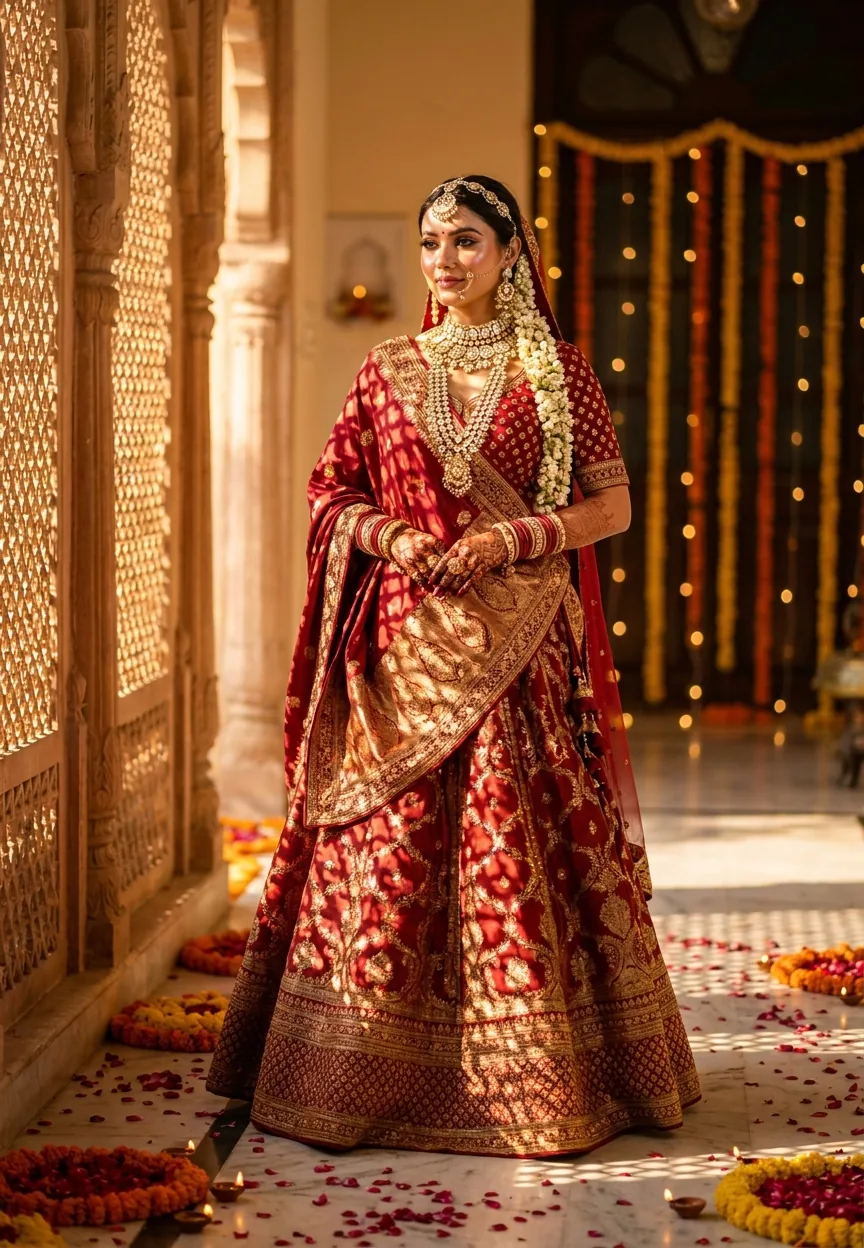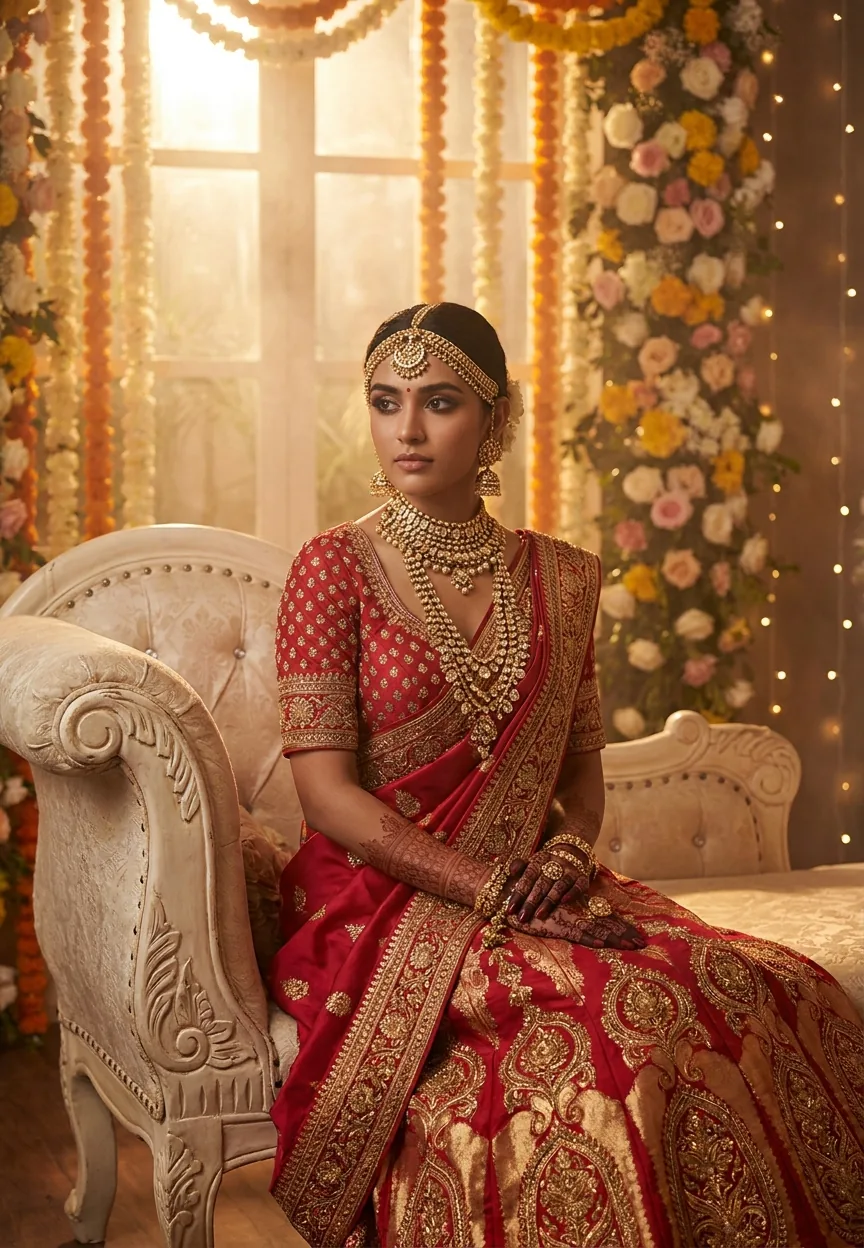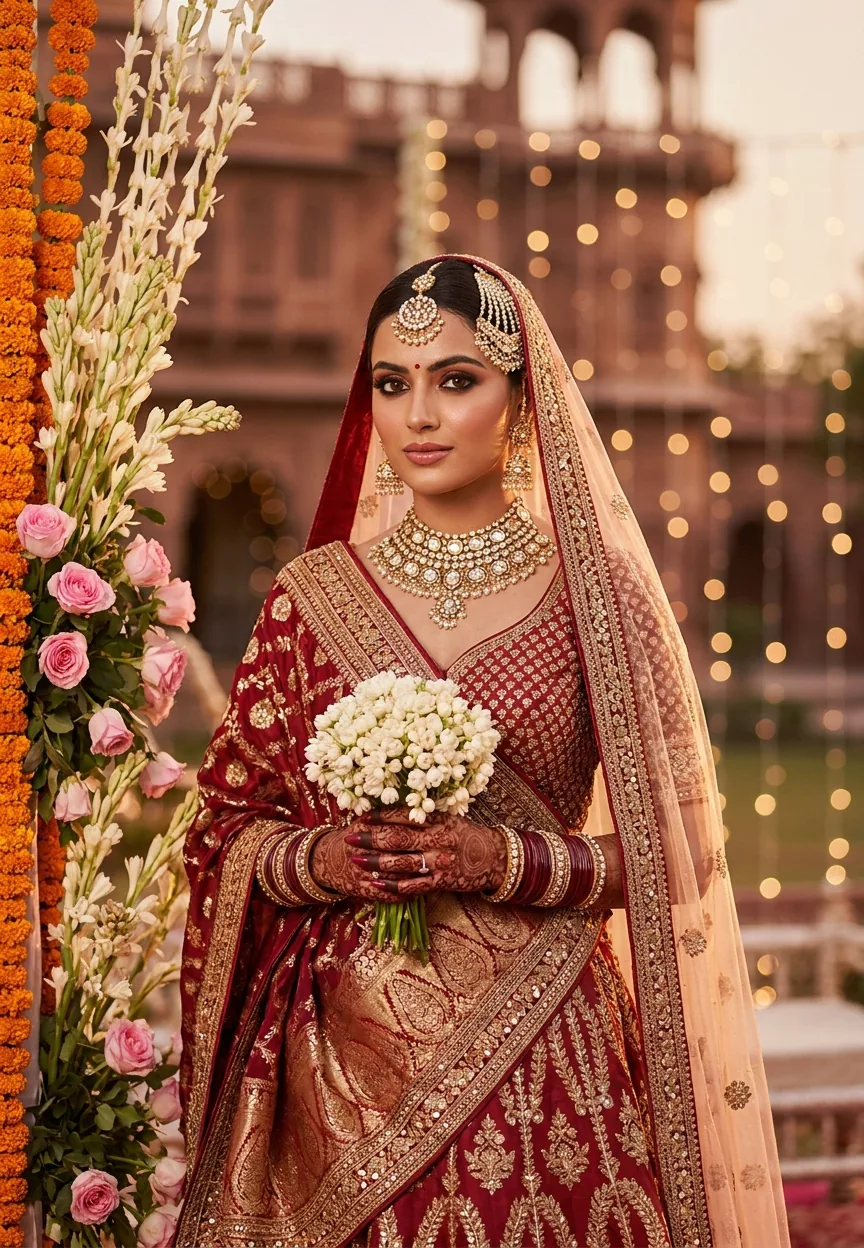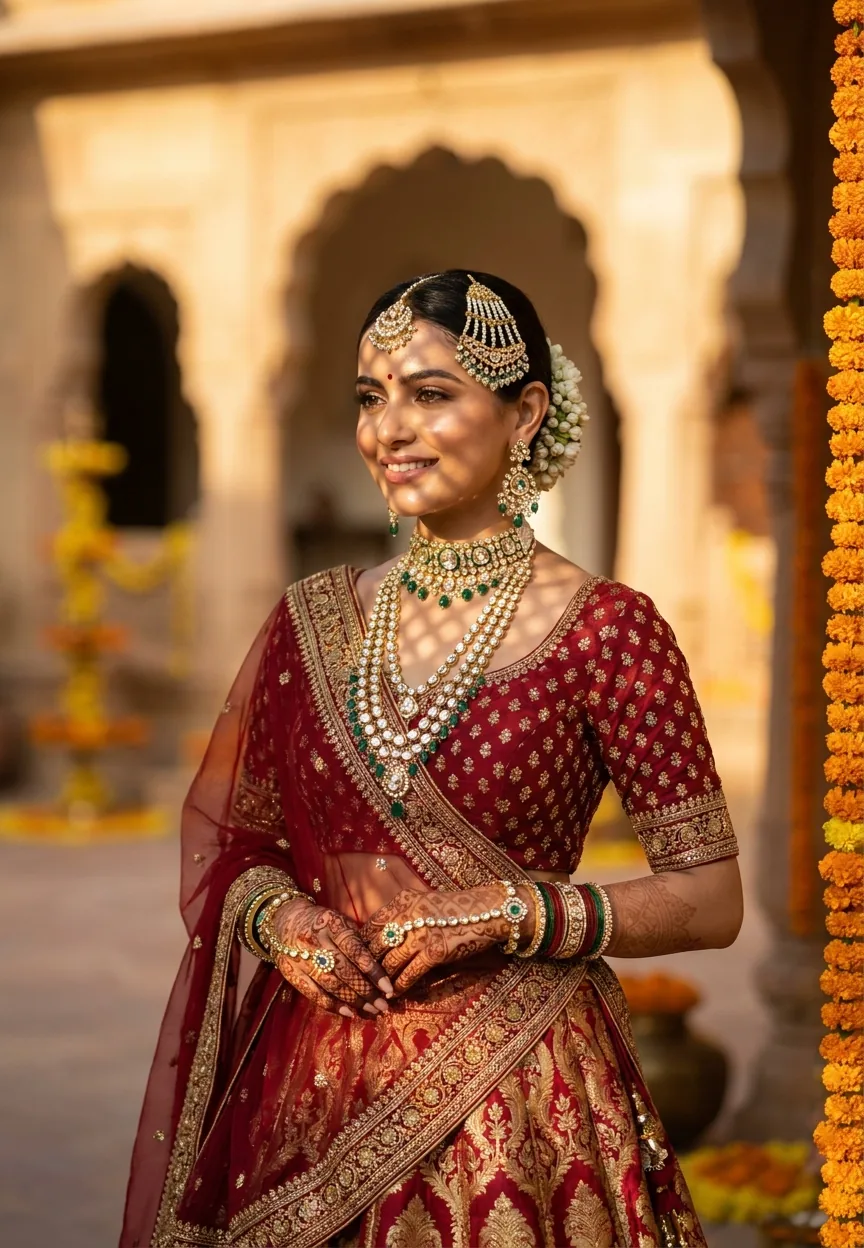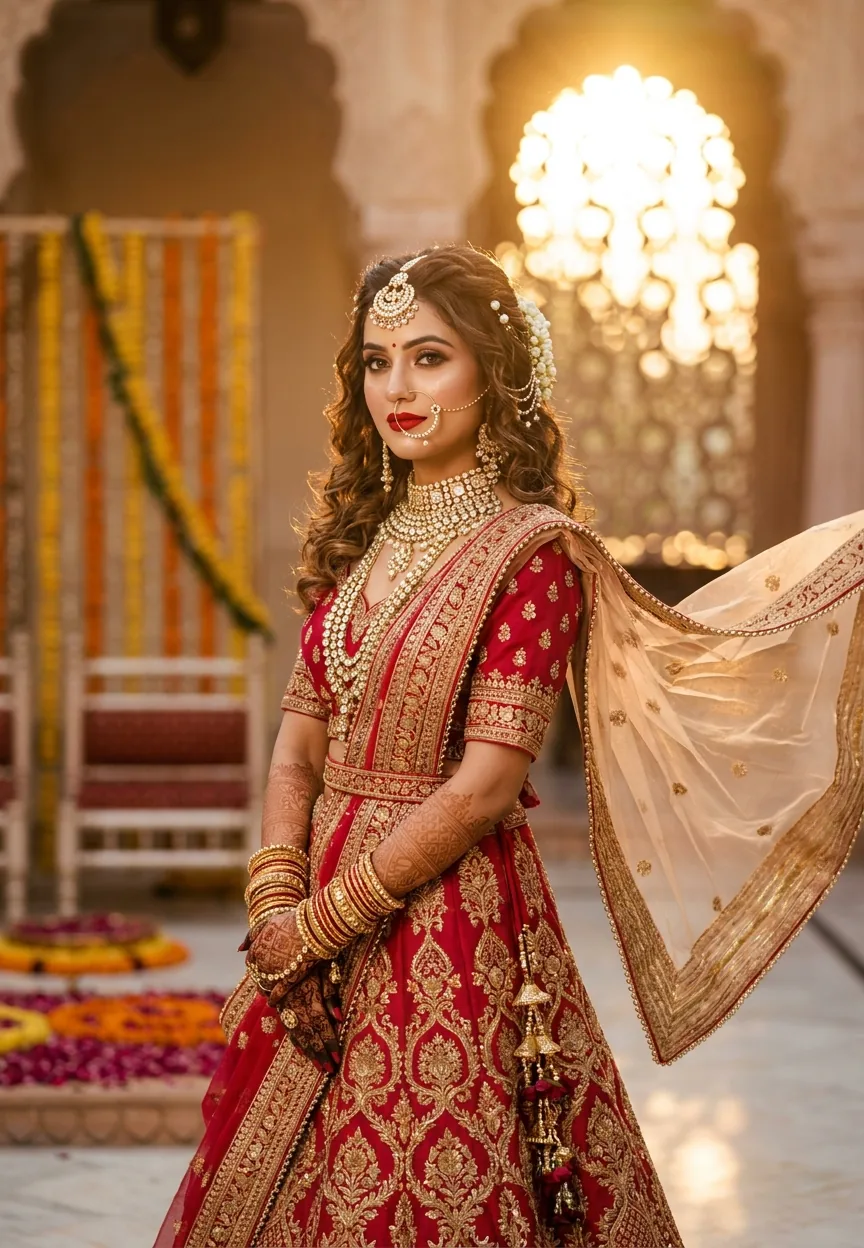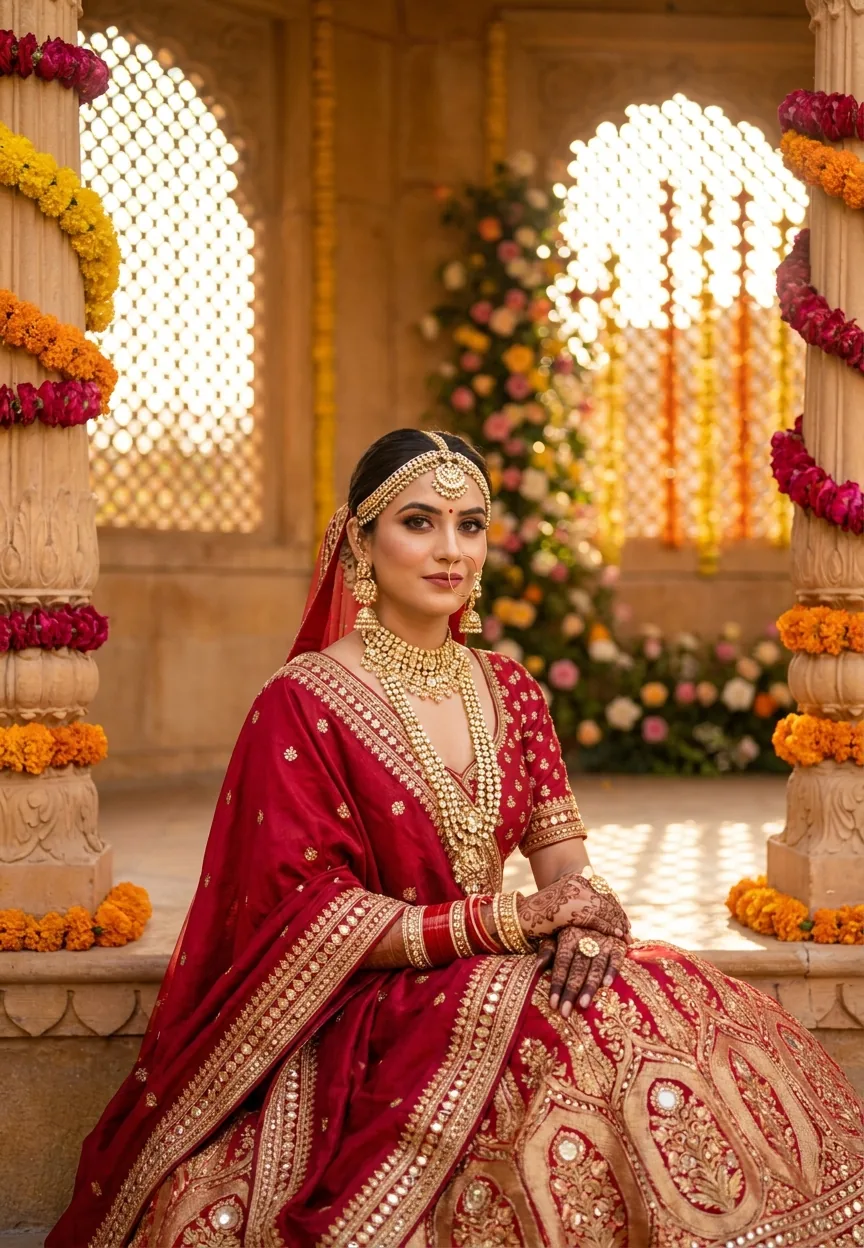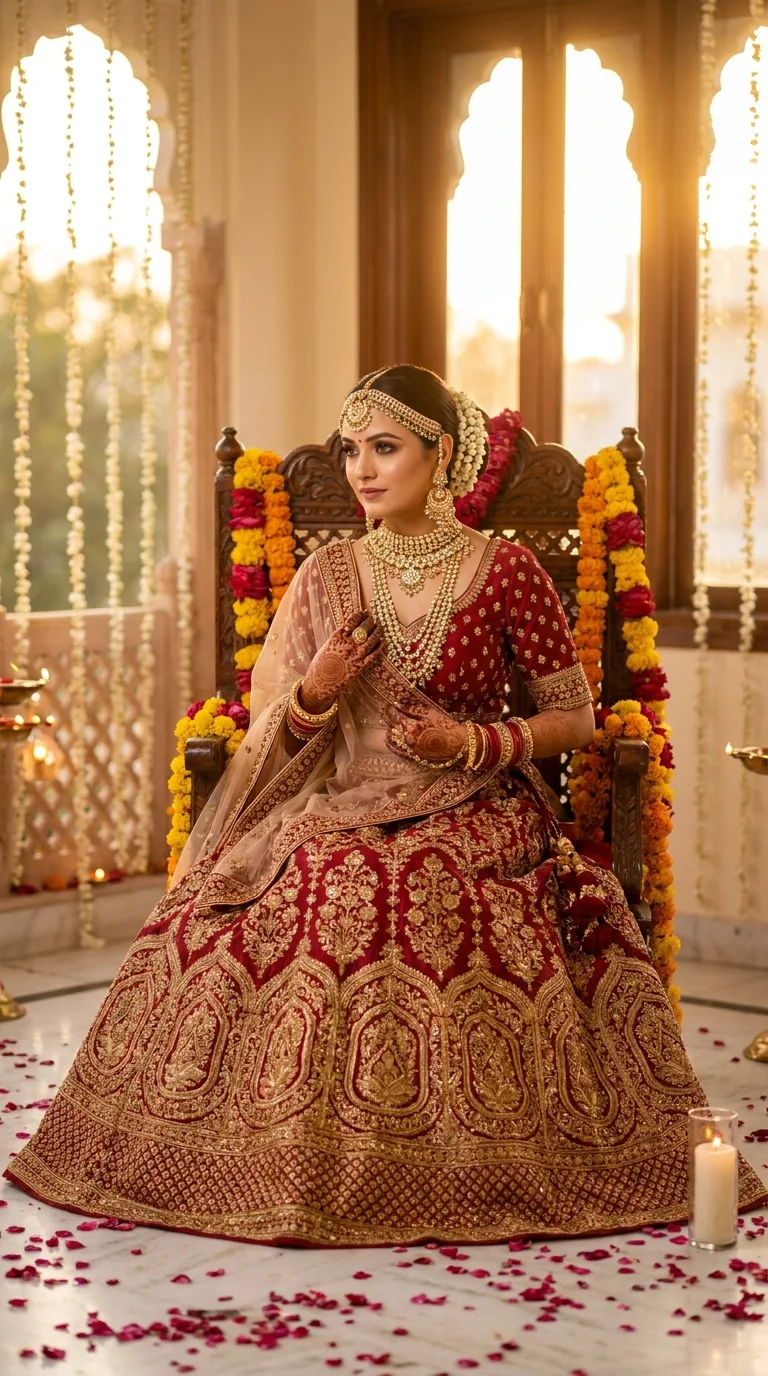
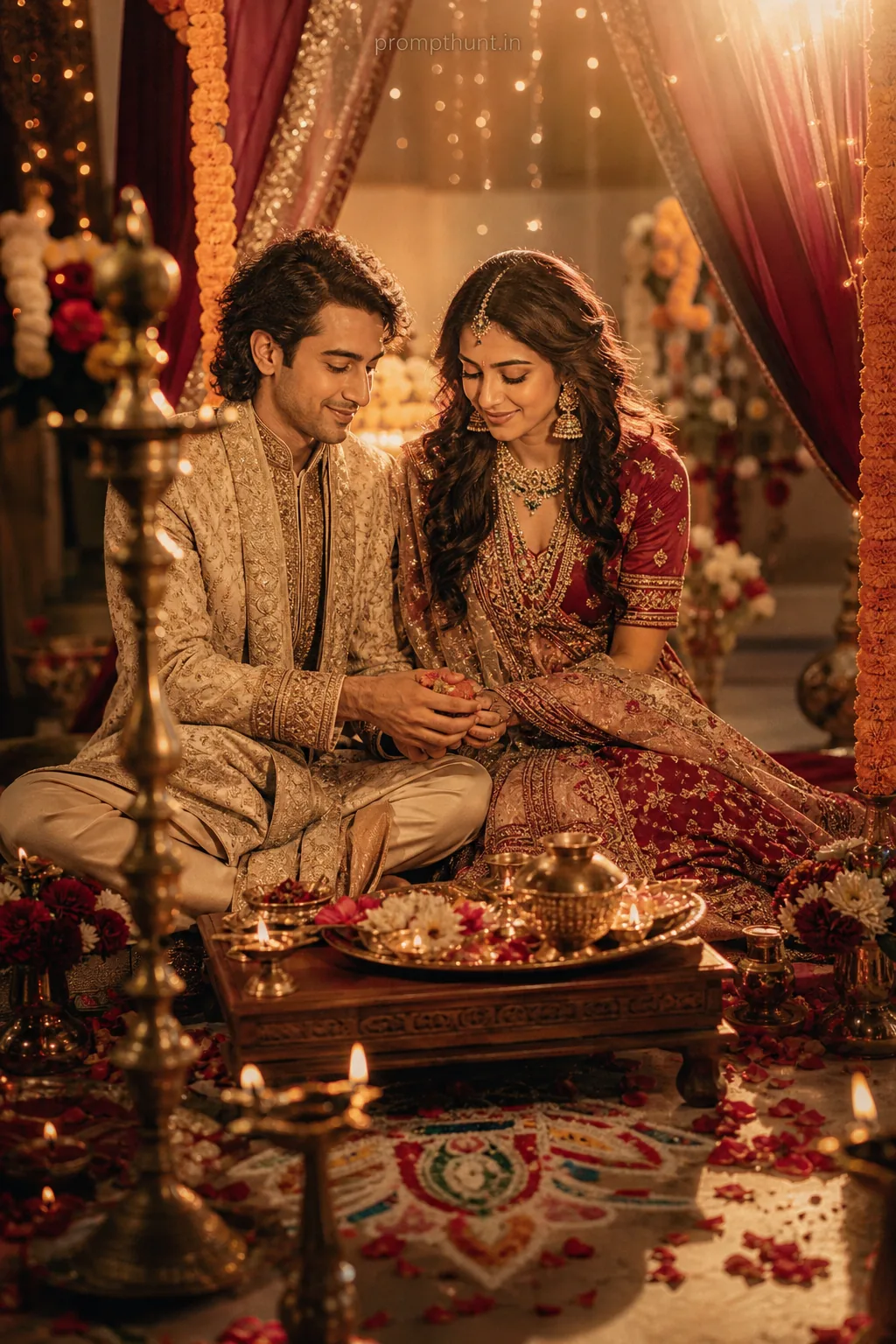
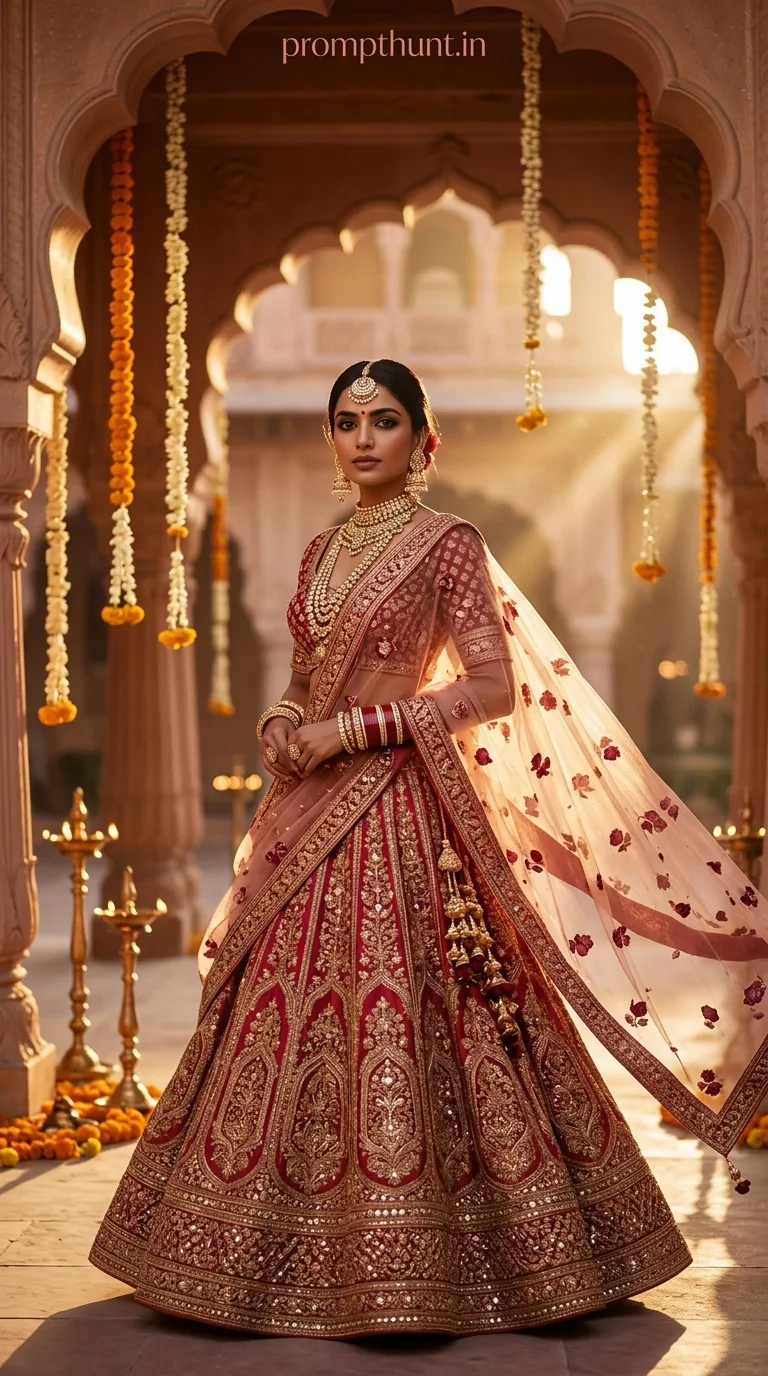
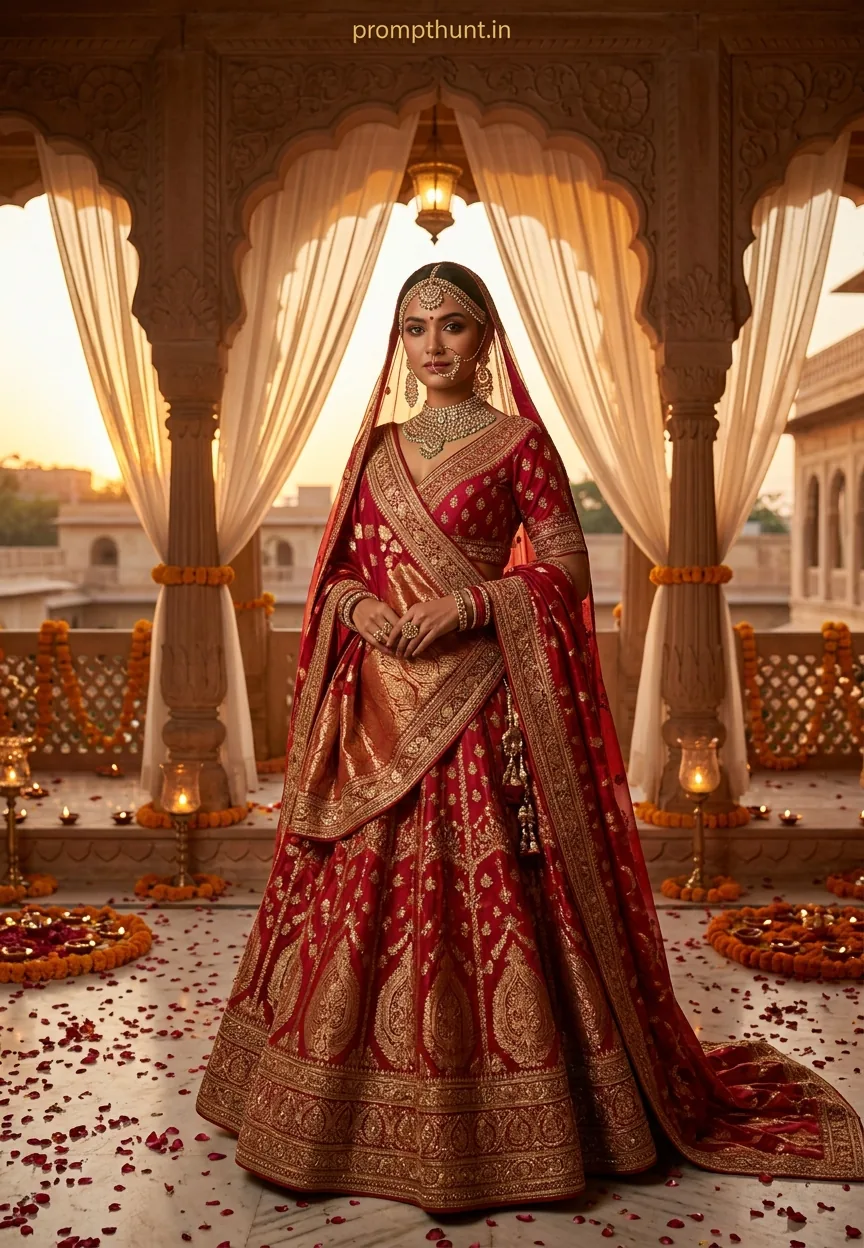
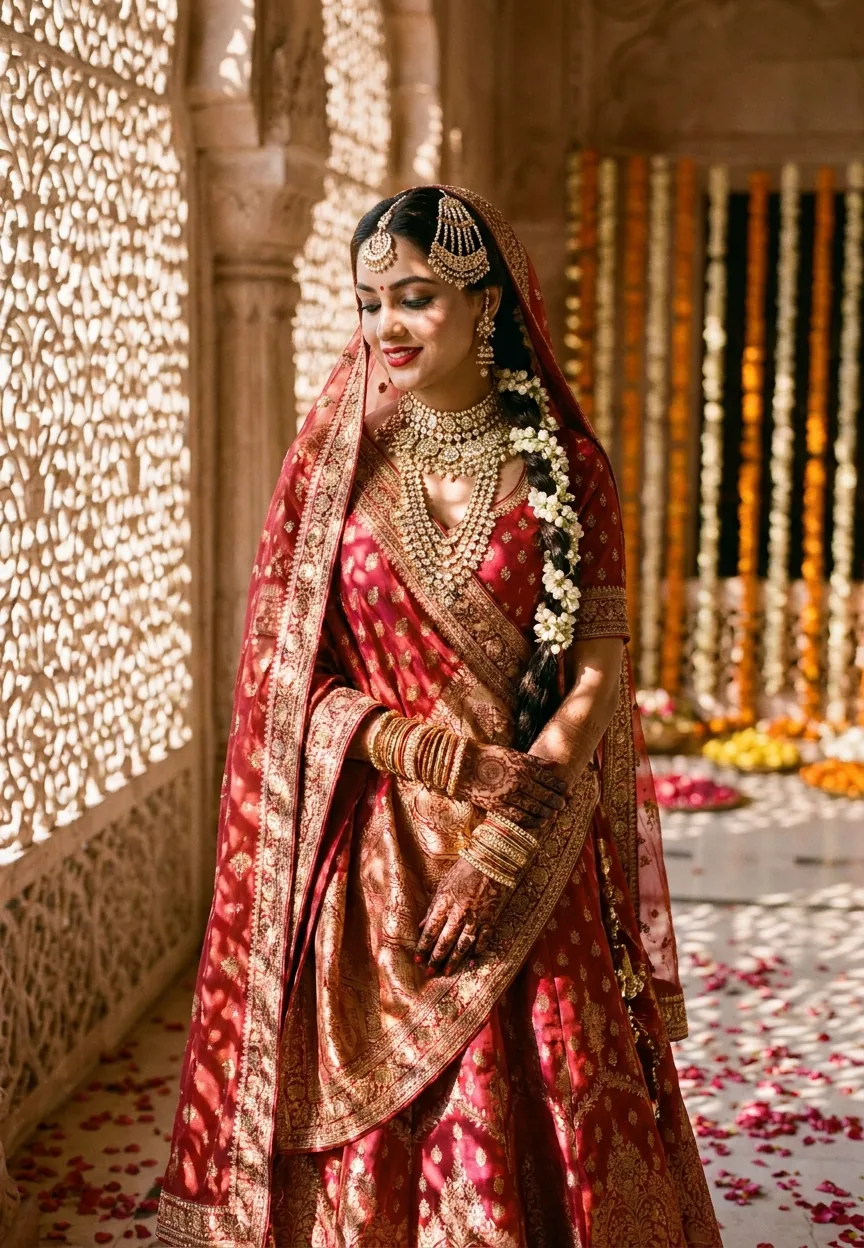
A Royal Indian Bridal Portrait prompt generates a hyper-realistic AI image of an Indian bride in a Banarasi lehenga, polki jewellery, and elaborate mehndi, set in a golden-hour palace courtyard with diya candles and jharokha windows. Use it in Gemini, Midjourney, or Adobe Firefly. Copy the prompt, paste it in, and adjust skin tone, jewellery colour, or lehenga shade to personalise the result.
Every Indian bride deserves a portrait that looks like it fell out of a Vogue India spread and landed directly in her mother's WhatsApp status. The problem is that professional bridal shoots cost a fortune, require a full production team, and demand roughly forty-seven hours of pinning. AI changes that equation entirely. The Royal Indian Bridal Portrait prompt has been doing serious rounds on Instagram and Pinterest, and for good reason — it produces the kind of warm, golden, cinematic bridal image that makes strangers stop mid-scroll and double-tap before their brain catches up. This is Wedding and Engagement AI photography at its absolute finest.
Copy this prompt into Gemini, Midjourney, or Adobe Firefly and you get a magazine-quality Indian bridal portrait — golden-hour palace lighting, Banarasi lehenga, full jewellery set, and all — in about thirty seconds flat.
What the Royal Indian Bridal Portrait Style Actually Is
This style sits right at the intersection of editorial fashion photography and traditional Indian bridal aesthetics. Think Rajasthani palace vibes, but make it cinematic. The prompt is built around three visual pillars: the bride, the setting, and the light.
The bride is dressed in a deep red and gold Banarasi silk lehenga with zardozi embroidery — the kind of hand-worked detail that takes artisans months to complete. Layer in polki and kundan jewellery, a heavy maang tikka, stacked gold bangles, and elaborate mehndi, and you have a portrait that reads as both deeply traditional and visually stunning.
The setting is a palace courtyard at golden hour. Carved marble jharokha windows, rose petals on white marble floors, flickering diya candles, and hanging jasmine strings. It is the sort of background that makes a photo feel like a memory even before it has been taken.
Then comes the light. Warm amber and rose tones streaming through those carved windows at golden hour produce what photographers call "the magic." AI replicates it faithfully. Nine times out of ten, this is what separates a good AI bridal portrait from a great one — the lighting does the heavy lifting.
The Prompt — Copy It Exactly
A breathtakingly beautiful Indian bride in her mid-20s, wearing an opulent deep red and gold Banarasi silk lehenga with intricate zardozi embroidery, seated gracefully on an ornate vintage wooden throne chair adorned with marigold and rose garlands. She wears a stunning gold maang tikka, layered polki and kundan necklaces, heavy jhumka earrings, and delicate gold bangles stacked up her wrists. Her hands are decorated with elaborate mehndi designs. Her hair is styled in a traditional loose bun embellished with fresh mogra flowers and pearl pins. Soft, flawless bridal makeup with smoky kohl eyes, rosy cheeks, and a bold red lip. The background features a dreamy palace courtyard at golden hour — warm amber and rose light streaming through carved marble jharokha windows, scattered rose petals on a white marble floor, and soft bokeh of flickering diya candles and hanging jasmine strings. Shot in 9:16 cinematic vertical format, ultra-realistic photography style, 85mm portrait lens, shallow depth of field, warm golden-hour color grading, magazine editorial quality, hyper-detailed fabric textures, luminous skin with soft diffused lighting, luxury aesthetic, Instagram viral bridal portrait mood.
How to Use This Prompt — Three Steps, No Surprises
Step one: pick your tool. Gemini works brilliantly for this prompt because it handles skin tones and fabric textures with real care. Midjourney version six is a close second. Adobe Firefly is a solid option if you want to stay inside your existing Creative Cloud workflow. Avoid older tools — the jewellery detail alone will expose their limits fast.
Step two: paste the prompt in exactly as written. Do not trim it. Every descriptive phrase is doing a job. "Hyper-detailed fabric textures" is not filler — it tells the model to render the zardozi work properly rather than smoothing it into a blurry suggestion. Removing instructions is like asking a tailor to skip the embroidery to save time. The result will show.
Step three: personalise after your first generation. Once you see the base result, adjust one element at a time. Swap "deep red" for "dusty rose" if you prefer a softer lehenga. Change "polki and kundan" to "temple gold" for a South Indian aesthetic. Add "South Indian silk Kanjivaram saree" instead of a lehenga and the whole portrait shifts. The bones of the prompt stay strong regardless.
Tips for Getting the Best Results
A rule of thumb: the more specific your jewellery description, the better. "Gold necklace" gives you a generic chain. "Layered polki and kundan necklaces with meenakari detailing" gives you a portrait that looks like it was styled by a professional.
Keep the aspect ratio instruction in the prompt. The 9:16 vertical format is not a vanity detail — it is what makes the image Instagram-ready straight out of the generator without cropping. Remove it and you may get a landscape shot that wastes the palace courtyard in the background.
If the face looks slightly off on your first attempt — and sometimes it will, because AI and faces have an ongoing complicated relationship (much like me and carbohydrates) — regenerate two or three times before editing anything. Variation between generations is normal. Pick the best face and enhance the rest.
Midjourney users should add --style raw and --v 6 to the end of the prompt. It keeps the photorealistic quality and prevents the model from adding its own stylistic flourishes nobody asked for.
For Gemini specifically: use the image editing follow-up feature to refine the mehndi detail on the hands. Type "enhance the mehndi detail on the hands, make it more intricate and traditional" as a follow-up instruction after your first generation. It works surprisingly well.
Why This Prompt Is Going Viral in India Right Now
Indian wedding content is the single most-saved category on Pinterest India. Bridal portrait pins outperform every other category by a wide margin. That is not a coincidence — it reflects how seriously the Indian market takes wedding aesthetics.
At the same time, destination wedding photography in heritage palace venues can run anywhere from eighty thousand to several lakhs of rupees. That puts it out of reach for most couples. This prompt produces images with the visual DNA of a palace shoot at the cost of zero rupees and thirty seconds.
Content creators have spotted the gap. Bridal inspiration pages, wedding planning accounts, and lehenga brand pages are using AI portrait prompts to generate content that performs as well as — and sometimes better than — their actual shoot photos. Fair enough, honestly. The algorithm does not care whether the jharokha window is real or rendered.
There is also a cultural pride element here. This prompt is unambiguously and joyfully Indian. The Banarasi silk, the mogra flowers, the diya candles, the mehndi — none of it is a stylised approximation of Indian aesthetics for a Western gaze. It is the real thing, rendered with genuine specificity, and that lands differently for an audience that has spent years seeing its traditions flattened into generic "boho ethnic" aesthetics on international platforms.
Honest Opinion — When Not to Use This Prompt
This prompt is exceptional for inspiration boards, content creation, social media posts, and showing clients a visual direction before a real shoot. It is not a replacement for an actual bridal photographer at an actual wedding. That distinction matters more than people admit.
AI cannot capture the moment a bride's mother adjusts her dupatta. It cannot document the exact way the golden-hour light hit the real marble floor of your real venue. Emotional truth is still beyond it. The prompt creates a fantasy image — a polished, idealised version of a moment that never happened. That is its strength for inspiration and its limitation for documentation.
There is also a homogeneity risk worth flagging. Because this prompt specifies one very particular bridal look, heavy use across the internet is already producing a visual echo chamber. Every AI bridal portrait starts looking like it came from the same shoot. If you are using this for content, personalise the jewellery and setting details aggressively. Otherwise your page starts to feel like a catalogue rather than a feed.
One more honest note: the prompt performs best with fairer skin tones in most current AI models. This is a known bias in the underlying training data, not a feature. If the results look off for deeper skin tones, add "rich deep brown luminous skin, soft diffused golden light on deep skin, no over-brightening" to the prompt. It makes a material difference.
Final Word
The Royal Indian Bridal Portrait prompt is one of the most visually complete AI photography prompts in the Wedding and Engagement category. It specifies the subject, the styling, the jewellery, the setting, the light, and the technical camera parameters — which is why it consistently produces results good enough to make your future mother-in-law forget she had concerns about the guest list. Copy it, personalise one detail at a time, and let the golden hour do the rest. You did not build the jharokha windows, but you get to keep the photograph.