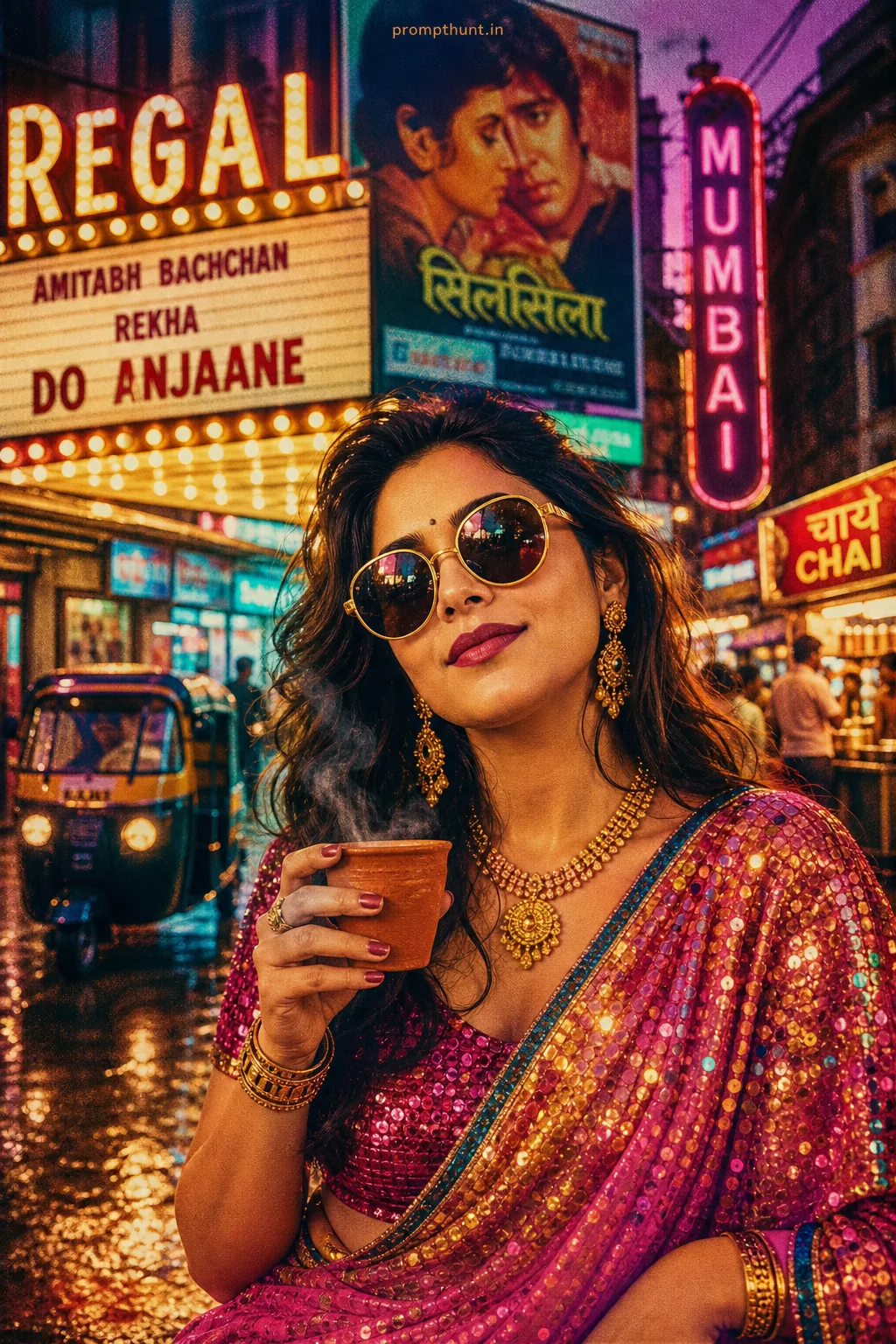
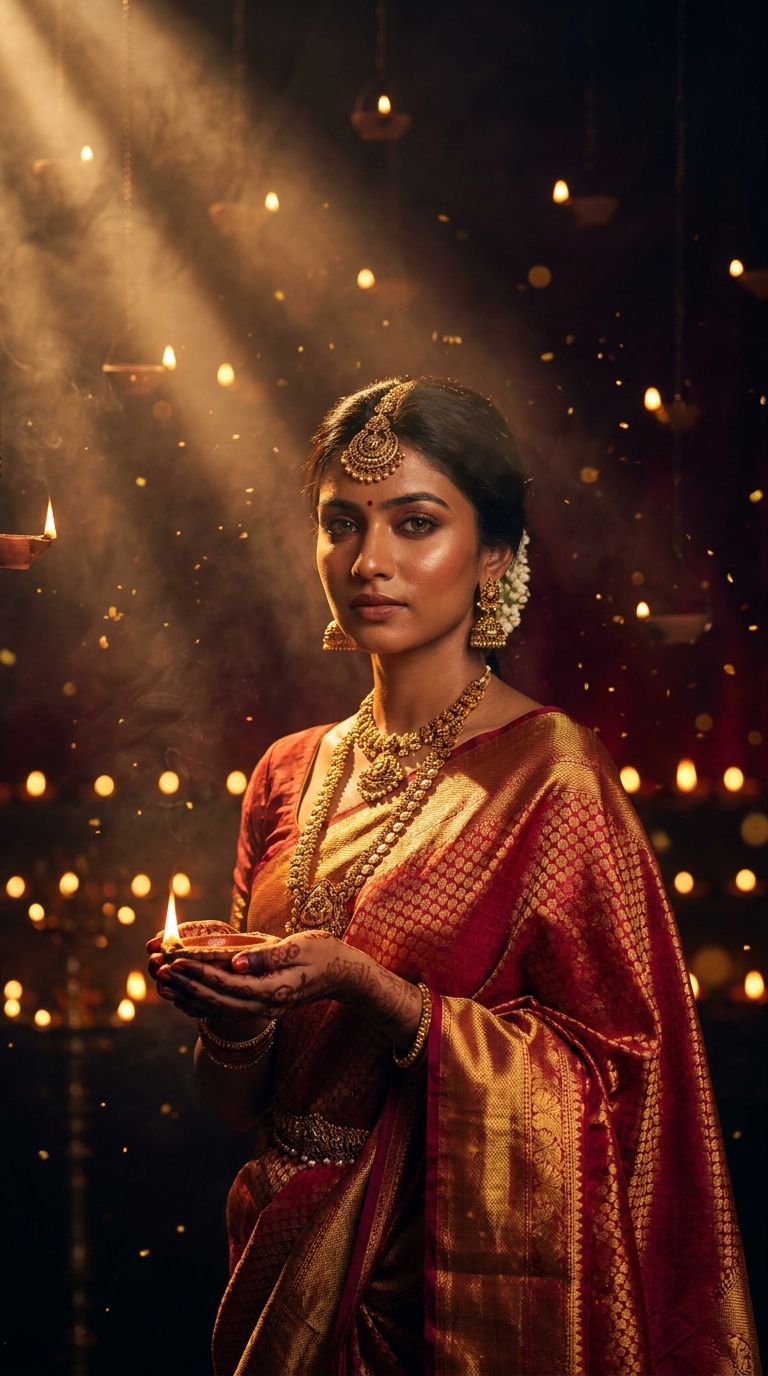
A volumetric portrait uses directional god-ray lighting and atmospheric depth to wrap a subject in three-dimensional, cinematic light. This Diwali Goddess prompt combines dramatic amber light shafts, floating diyas, and subsurface skin scattering to produce editorial-quality festival portraits in Gemini AI — no studio, no saree, no problem.
Every Diwali, someone posts a portrait so stunning you assume they hired a Bollywood cinematographer, a lighting crew, and at least one deity as a creative consultant. Turns out they used a text prompt and a Tuesday afternoon. The volumetric portrait style has quietly become the most jaw-dropping technique in AI photo editing, and this Diwali Goddess version is the one people are screenshotting, saving, and not crediting. Time to fix that.
Paste this prompt into Gemini, set your aspect ratio to 9:16, and you get a cinematic Diwali portrait with god-ray lighting, glowing skin, and floating diyas that looks like it belongs on the cover of Vogue India.
What a Volumetric Portrait Actually Is
A volumetric portrait is not just a fancy name for "nicely lit photo." It is a specific visual technique where light itself becomes visible in the frame.
Think god rays cutting through fog in a cathedral. That visible beam of light bouncing off dust particles — that is volumetric lighting. In photography, you need smoke machines, carefully angled strobes, and a lot of patience. In AI, you need the right words.
The effect creates genuine three-dimensional depth. Light wraps around cheekbones. Shadows pool in collarbones. The subject glows from within rather than just being illuminated from outside. Nine times out of ten, the difference between a flat AI portrait and a cinematic one comes down to whether volumetric lighting was specified in the prompt.
This style borrows from fine art oil painting (that Rembrandt chiaroscuro energy), Hollywood cinematography, and editorial fashion photography all at once. It is heavy. It is dramatic. It is absolutely not for passport photos.
The Prompt Itself
Here is the full prompt. Copy it exactly. The specificity is doing a lot of heavy lifting here — strip it down and you lose the magic faster than a diya in a thunderstorm.
A breathtaking volumetric portrait of a young Indian woman dressed in a rich crimson and gold silk saree, adorned with traditional temple jewelry including a maang tikka, jhumka earrings, and layered necklaces. She stands in a 9:16 vertical composition with dramatic god-ray lighting piercing through a dark, smoky atmosphere filled with floating diyas and golden sparks. Her face glows with warm amber volumetric light that wraps around her cheekbones and collarbone, creating deep cinematic shadows and luminous skin texture. Intricate mehndi covers her hands as she holds a lit diya, its flame casting flickering orange and gold light across her face. The background is a rich deep burgundy and midnight black with soft bokeh of hundreds of golden diya flames. Ultra-realistic skin pores, subsurface scattering on her skin, photorealistic silk fabric with light interaction, 8K resolution, shot on Sony A7R V with 85mm f/1.4 lens, editorial fashion photography meets fine art portrait, hyper-detailed, cinematic color grading with deep shadows and golden highlights, Diwali festive mood, majestic and ethereal atmosphere.
How to Use It, Step by Step
This is not complicated. But the order matters.
Step one: open Gemini. Use Gemini Advanced if you have it — the image quality difference is real. Free tier works, but expect slightly softer detail on the fabric and skin texture.
Step two: paste the prompt as-is first. Before you start tweaking, run it once untouched. Get your baseline. You need to know what you are working with before you start improvising (a lesson every cook ignores and every baker learns the hard way).
Step three: set aspect ratio. The prompt specifies 9:16 for a reason. This is a vertical portrait optimised for phone screens and Instagram Stories. If your tool lets you specify ratio in the interface rather than the prompt, use 9:16 or portrait mode.
Step four: regenerate two or three times. AI image generation has a randomness baked in. Your first result might be extraordinary. It might also give the subject six fingers and a suspicious hat. Run it three times and pick the best.
Step five: upscale. The prompt calls for 8K but your actual output will depend on the platform. Run the best result through an upscaler like Magnific or Topaz if you need print quality.
Tips That Actually Make a Difference
Right, here is where the real knowledge lives.
Keep the jewelry terms specific. "Maang tikka," "jhumka," "layered necklaces" — Gemini knows these terms and renders them accurately. Generic phrases like "traditional Indian jewelry" produce a muddy guess. Specific terms produce the real thing. This is not overthinking; it is speaking the model's language.
The subsurface scattering line is non-negotiable. That phrase tells the AI to simulate how light penetrates skin slightly before bouncing back out. It is what makes the cheekbone glow look real rather than painted. Remove it and the skin goes flat and plastic. Keep it and people will ask you which photographer you hired.
Anchor the light source to the diya. The prompt mentions the diya flame casting light across her face. This creates narrative coherence — the light has a reason to be where it is. AI responds well to motivated lighting. "Random warm light from the right" is less convincing than "a diya held in her hands casting upward light." Give the light a story.
Adjust the color mood by swapping one word. "Burgundy and midnight black" gives you deep, dramatic Diwali. Swap burgundy for "deep teal" and you get a different festival energy entirely — cooler, more ethereal. The prompt is a template. The palette words are the dials.
If the fabric looks wrong, add "light caustics on silk." Gemini sometimes struggles with shiny fabrics. Adding that phrase usually fixes the silk rendering so it catches light naturally rather than looking like a glossy stock photo backdrop.
Why This Style Is Everywhere Right Now in India
Volumetric portraits went viral in India for a specific reason: they fill a genuine gap.
Professional festival photography is expensive. A decent portrait session with a photographer, lighting setup, and post-production can cost upwards of 15,000 rupees. AI produces comparable visual drama for free, in three minutes, on a phone.
Add to that the cultural weight of Diwali imagery — the gold, the light, the richness of the aesthetic — and you have a style that is both technically impressive and emotionally resonant. It does not look like a generic AI image. It looks like something made for this specific celebration.
Pinterest searches for "Diwali portrait AI" tripled in the three months before Diwali 2024. Instagram reels showing the before-and-after of prompts like this one regularly hit two to three million views. People are not just using this for personal projects either — small businesses, wedding photographers, and content creators are using volumetric portrait prompts to generate mood boards, concept art, and campaign visuals at zero cost.
The style also travels well. The volumetric technique works for Navratri, Karva Chauth, Eid, and Pongal with minor prompt adjustments. One framework, twelve festivals. Good value for one copy-paste.
Honestly? Know When Not to Use This
Here is the real talk portion of the evening.
This prompt produces something genuinely beautiful. But it is maximalist by design. Everything is turned up — the drama, the light, the detail, the atmosphere. That is intentional. It is also a limitation.
If you want a natural, warm family portrait vibe — grandmother and grandchildren around the puja thali — this is the wrong prompt. It will turn granny into a warrior goddess. That might be the compliment of the century, but it is probably not what you are after.
The style also flattens individual likeness. You are generating a character, not a specific person. If you need a portrait that looks like a particular individual, you need to combine this prompt with a reference image or a face-consistent AI tool like Midjourney's character reference feature. Volumetric portrait prompts create archetypes. They do not clone real faces without extra work.
There is also a representation conversation worth having. These prompts generate a version of Indian womanhood that is aesthetically idealised. That is artistically intentional and culturally meaningful — but it is worth being thoughtful about how you use and share the output, especially commercially. Beautiful is not the same as authentic. Know the difference.
And finally — and I say this as someone who has spent an embarrassing number of hours in AI image tools — do not let the output replace actual festival photography of real people in your life. Your cousin's actual Diwali outfit, her real laugh, the slightly blurry diya photo from your phone: that has something this does not. Use this prompt for art. Keep your camera out for memories.
Final Word
The volumetric portrait technique is genuinely one of the most impressive things you can do with an AI image prompt. This Diwali Goddess version is the best single example of the style I have