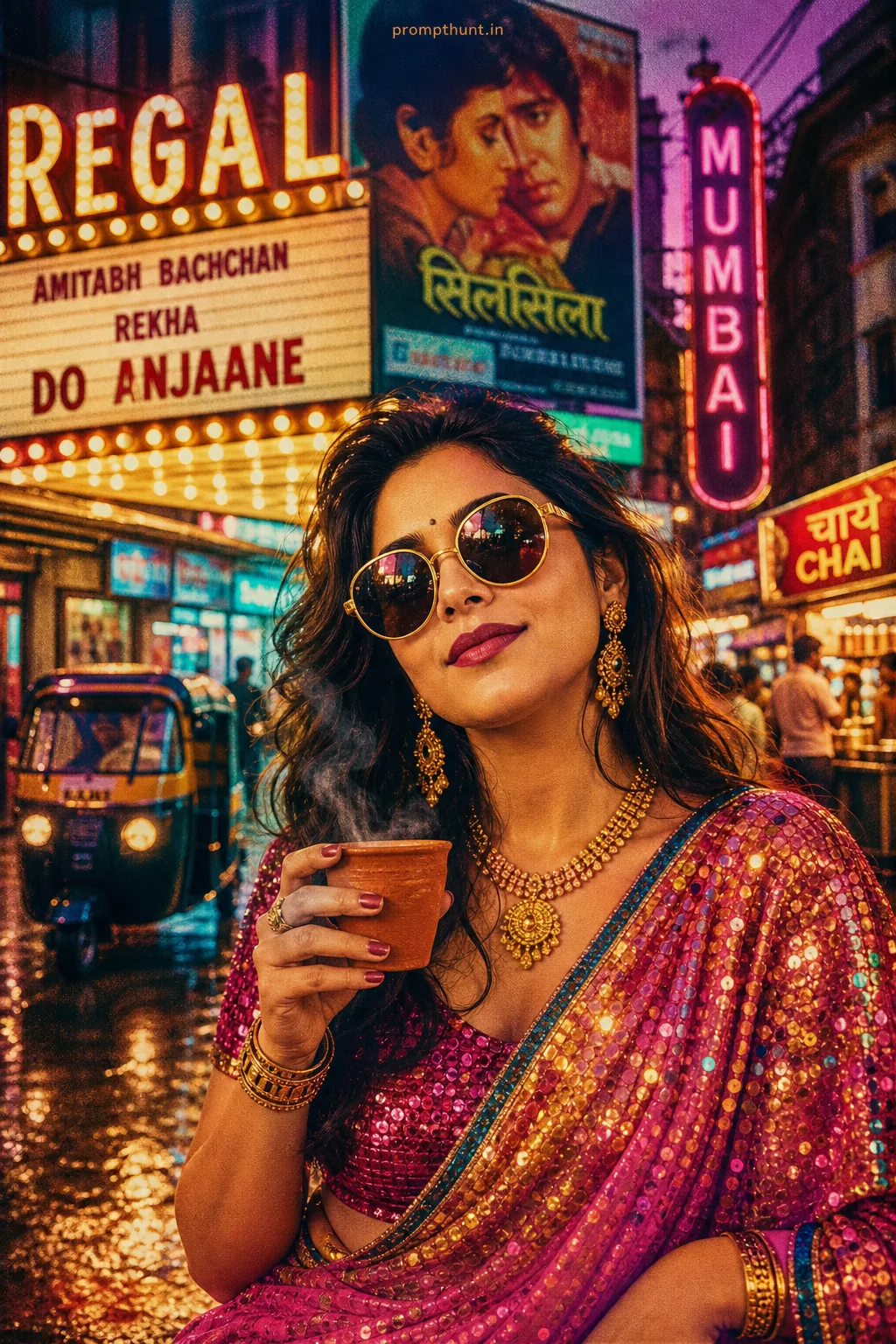
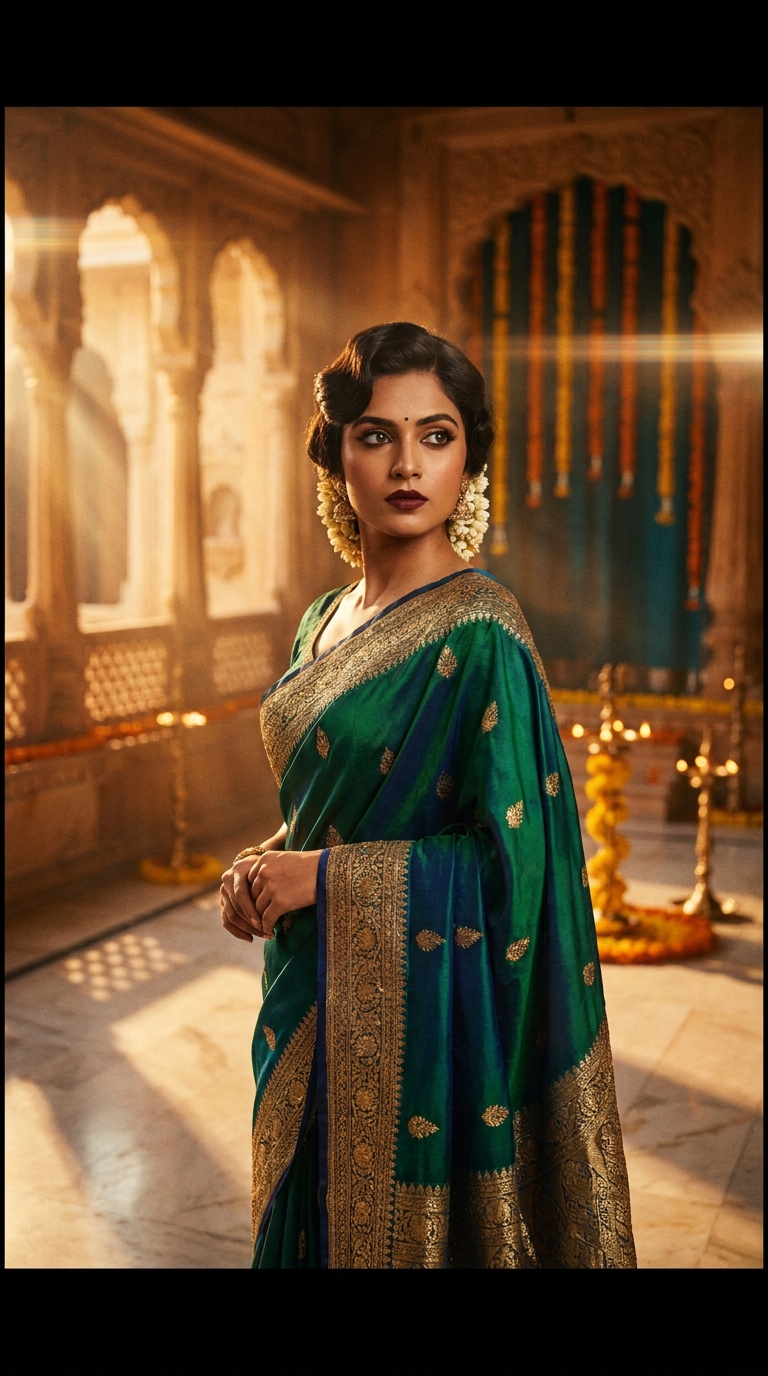
The Bollywood Retro Royalty prompt blends 1970s Indian cinema grandeur with modern AI cinematic enhancement — deep jewel tones, golden hour haveli light, anamorphic lens flares, and rich film grain to create portraits that look like they belong on a vintage Bollywood poster. Use it in Gemini, Midjourney, or any image-generation tool for instant regal drama.
Bollywood Retro Royalty Cinematic Glow — The AI Photo Prompt That Hits Different
Some AI prompts generate nice pictures. This one generates an entire era. The Bollywood Retro Royalty Cinematic Glow prompt is arguably the most dramatic thing to happen to cinematic enhancement since someone first put a filter on a sunset and called it art. It takes everything gorgeous about 1970s Hindi cinema — the jewel-toned silk, the kohl-rimmed eyes, the god rays pouring through carved stone windows — and runs it through an 8K hyper-realistic AI engine. The result looks less like a photo and more like a memory you're fairly sure you never had.
Drop this prompt into Gemini or any AI image tool and it will generate a stunning retro Bollywood cinematic portrait with golden haveli light, film grain, and anamorphic lens flares — no photography degree required.
What Is the Bollywood Retro Royalty Style, Exactly
It's cinematic enhancement with a very specific cultural heartbeat.
Standard cinematic enhancement usually means moody shadows, desaturated highlights, and pretending your holiday snap was shot by Roger Deakins. Bollywood Retro Royalty takes a different path entirely. It leans into warmth, richness, and almost theatrical drama — the visual language of directors like Manmohan Desai and Yash Chopra, who never met a chandelier they didn't like.
The style stacks several specific elements together. You get the amber-and-teal colour grade that defined 70s Indian cinema. You get heavy film grain that makes everything feel like it was projected at a single-screen theatre in 1974. You get anamorphic lens flares streaking horizontally across frame — the visual equivalent of a dramatic background score kicking in. And you get a subject who looks genuinely, effortlessly regal.
It's not nostalgia for nostalgia's sake. It's nostalgia with incredible bone structure and excellent lighting.
The Prompt — Use It Word for Word
Copy this exactly. Every detail is earning its place.
A stunning cinematic portrait of a young Indian woman in her mid-20s, dressed in an elegant deep jewel-toned silk saree with intricate golden zari embroidery, standing in the golden hour light of a palatial Indian haveli courtyard. Her hair is styled in a classic vintage Bollywood wave with jasmine flowers tucked in. She gazes confidently into the distance with dramatic kohl-lined eyes and rich burgundy lips. The scene is bathed in warm amber and teal cinematic color grading with heavy film grain texture, reminiscent of 1970s Bollywood grandeur. Soft volumetric god rays stream through ornate carved stone jharokha windows casting dramatic shadows across marble floors. Shallow depth of field blurs the background of marigold garlands and brass diyas. Anamorphic lens flares streak horizontally across the frame. Shot in 9:16 vertical format with cinematic letterbox framing, ultra-detailed skin texture, 8K resolution, hyper-realistic photography style blended with painterly Bollywood poster aesthetics. Color palette: deep amber, burnt sienna, champagne gold, midnight teal. Mood: regal, nostalgic, dramatic, timeless.
How to Use This Prompt — Three Steps, No Surprises
Getting this right is straightforward. Here's the honest process.
Step one: pick your tool. Gemini Image Generation handles this prompt beautifully — the colour grading and skin texture rendering are particularly good. Midjourney v6 also does excellent work here. Adobe Firefly handles the painterly-meets-photographic blend well if you're already in the Creative Cloud ecosystem. Run the prompt as written before you start tweaking anything.
Step two: generate a batch. Run four to six variations in one session. The film grain texture and anamorphic flare placement will land differently each time. Nine times out of ten, the second or third output is your keeper — the first generation tends to be slightly over-literal on the haveli architecture.
Step three: do minimal post-processing. The prompt already specifies its own colour palette. If you open the result in Lightroom and start pushing the orange slider, you'll fight the AI's own choices and lose. A small contrast bump and a slight clarity reduction to soften skin texture is all you need. The cinematic enhancement is already baked in.
Tips That Actually Move the Needle
A few things that separate a good result from a genuinely striking one.
The aspect ratio matters more than most people expect. The 9:16 vertical format with letterbox framing is doing real work here — it gives the portrait a theatrical quality that square or landscape crops simply don't achieve. Don't change this unless you have a specific reason.
If your tool lets you reference a base image, use one with strong side lighting. The god-rays-through-jharokha-windows effect needs existing directional light to anchor itself realistically. A flat-lit reference photo will produce flat-lit results regardless of what the prompt says.
Rule of thumb: the more specific your saree colour instruction, the better the zari embroidery renders. The base prompt says "deep jewel-toned" which gives the AI latitude. If you want a specific result, replace that phrase with "deep peacock blue" or "forest green" or "wine red" and watch the embroidery detail sharpen up considerably.
On the jasmine flowers — keep them. They're a small detail but they anchor the whole vintage-Bollywood-wave hairstyle in a culturally specific way that reads immediately. Remove them and the portrait becomes generic period drama. Keep them and it's unmistakably subcontinental.
Finally: the anamorphic lens flares will sometimes render too heavily, especially in Midjourney. Add the modifier "subtle anamorphic lens flares" if you want them to feel like a cinematic nod rather than a screensaver. (Both are valid. I am not here to judge your screensaver.)
Why This Is Trending — and Why It Makes Complete Sense
This prompt has been doing serious numbers across Indian Instagram and Pinterest in 2024-25. The reason isn't mysterious.
There's a generational reappraisal happening around 1970s Bollywood aesthetics right now — the same cultural moment that brought back vinyl records and film cameras in the West, but with a distinctly Indian visual vocabulary. Designers like Sabyasachi have been mining this era for years. AI image generation just democratised the access.
The cinematic enhancement angle also matters practically. India has the world's largest film industry by output and a population deeply, fluently literate in its visual grammar. When an AI prompt speaks that language back — the jewel tones, the marble floors, the marigolds — it resonates in a way that a generic "cinematic portrait" prompt simply doesn't reach.
There's also the haveli factor. Ancestral architecture as aesthetic shorthand has enormous emotional weight. This prompt essentially puts the viewer inside a space that most people have family stories about but no personal photographs of. That gap between memory and image is exactly where nostalgia lives, and exactly where AI generation can do something genuinely interesting.
Honest Opinion — When to Use This and When to Step Back
I reckon this is one of the stronger cinematic enhancement prompts doing the rounds right now. The specificity is its superpower. Most portrait prompts are vague enough that the AI has to improvise, and the improvisation is usually fine and forgettable. This prompt tells the AI exactly what era, exactly what colour grade, exactly what architectural context, and exactly what emotional register to hit. The results reflect that precision.
That said — and this is important — it is a stylised portrait generator, not a person-accurate portrait generator. If you're using this to render a likeness of a real individual, you'll get someone who looks aesthetically consistent with the prompt but not necessarily recognisable as your subject. Gemini in particular applies its own interpretation of "young Indian woman in her mid-20s" that is beautiful but generic. Think of it as cinematic character illustration, not personalised photography.
It's also worth being honest that this style can tip into pastiche if you over-generate. Running fifty variations in an afternoon will make them all start to feel like lobby cards for the same unmade film. The prompt has a strong signature. Use it with some restraint and each output feels like a discovery. Use it constantly and it starts feeling like a template.
Where it genuinely shines is mood boards, social content for fashion or wedding brands, editorial illustration, and personal creative projects where you want a striking, culturally grounded aesthetic that doesn't look like it was generated by a prompt that begins with "a beautiful woman standing in a field." This is the opposite of that. This has opinions. This has a colour palette and it is not afraid to use it.
The one thing I'd push back on slightly is the "hyper-realistic photography style blended with painterly Bollywood poster aesthetics" instruction — these two directions pull against each other, and the AI will land somewhere between them rather than fully achieving either. If you want the painterly poster look, lean harder into that by adding "in the style of a hand-painted 1970s Bollywood film poster" and dialling back the 8K hyperrealism language. You'll get a more