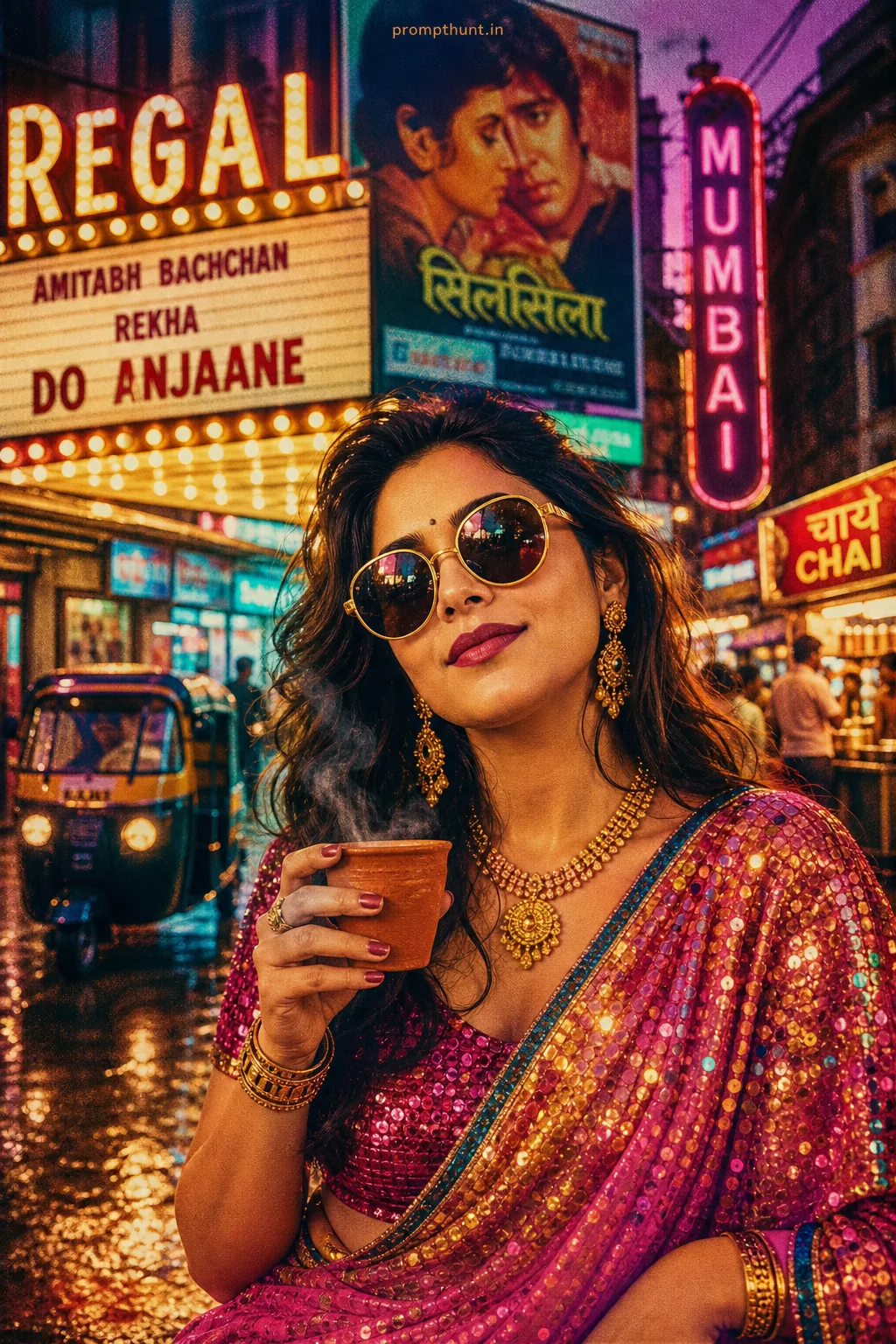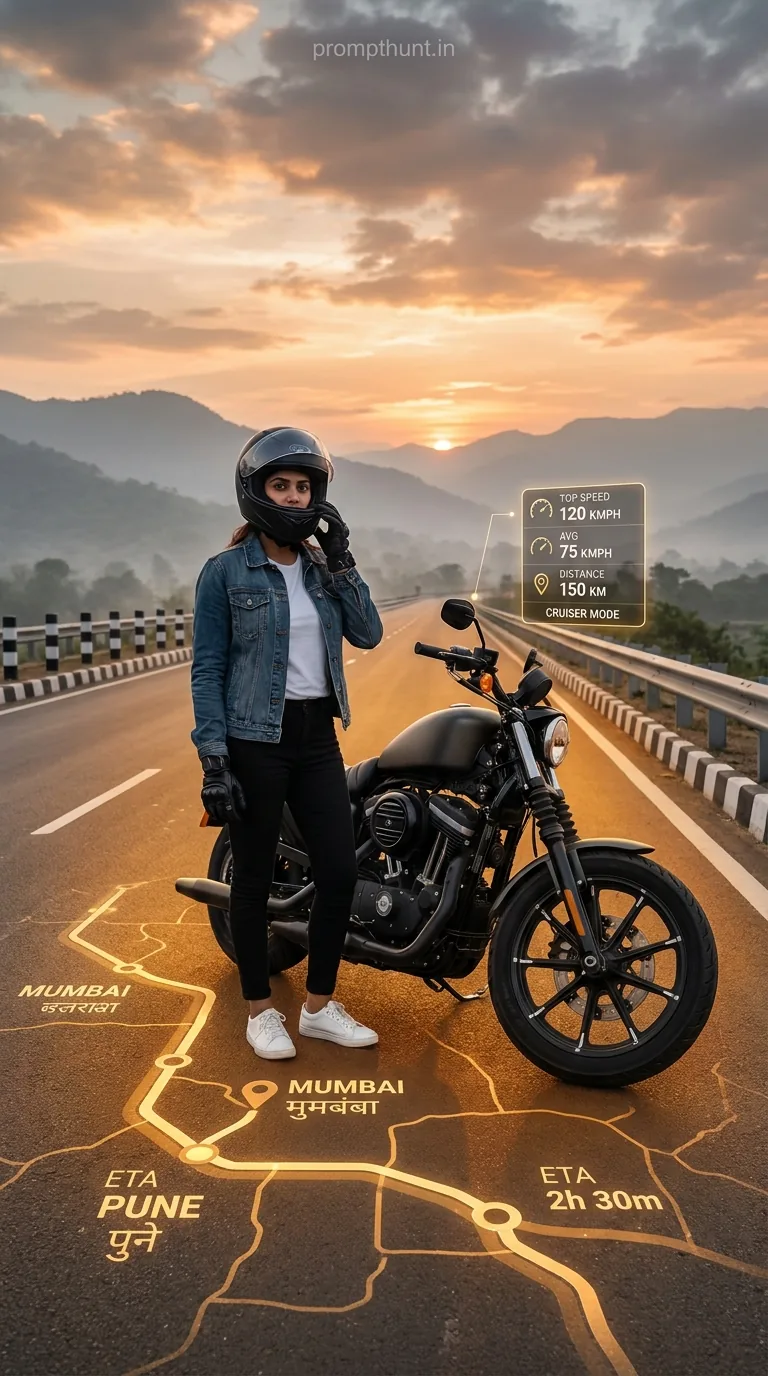




The Futuristic AR Navigation Biker Aesthetic places your face on a cinematic motorcycle scene with glowing augmented reality maps projected onto the road surface. Upload your photo to Gemini, paste the prompt, and the AI rebuilds you as a highway-ready rider surrounded by golden AR waypoints, trip stats, and a misty mountain horizon. Takes about 30 seconds.
There's a very specific kind of person who looks at a motorcycle on an open highway at sunset and thinks "yes, but what if the road had a GPS overlay and I looked like I was in a Netflix original series." That person is you. Welcome. You've found your people — and your prompt.
The Futuristic AR Navigation Biker Aesthetic is one of those AI photo styles that sounds like it was invented by a product designer who also watches way too many sci-fi films (no judgement, same). It takes your actual face, puts it on a cinematic biker scene, and then projects glowing amber AR navigation maps onto the road beneath you. Route waypoints. Trip stats. City names in two scripts. The whole deal. It's Half Google Maps, half Top Gun, entirely too cool for your current profile photo.
Upload your photo to Gemini, paste this prompt, and you'll get a photorealistic cinematic image of yourself standing beside a cruiser motorcycle on a glowing AR-mapped highway at golden hour — no design skills needed, no motorbike required.
What Is the Futuristic AR Navigation Biker Aesthetic, Exactly
Think augmented reality — the kind of tech where digital information gets overlaid on the physical world. Now imagine that projected onto a wide open highway at dusk. The road surface glows. Golden-amber light traces route lines across the asphalt. Floating UI panels display your speed, distance covered, and vehicle type like you're in a Ubisoft game that also has excellent cinematography.
Your character — and here's the bit that makes this genuinely impressive — is you. Not a generic avatar. Not a stock biker. Your face, your features, your skin tone. Dressed in a denim jacket, white tee, black pants, and white sneakers, helmet tucked under one arm, standing beside a dark matte cruiser on a highway that goes forever.
The background does its fair share of heavy lifting too. Misty mountain horizon. Overcast sunset in peach, amber, and grey. Black and white striped bollards along the guardrails. It's the kind of scene where you half expect Hans Zimmer to start playing from somewhere off-screen.
Reckon this one was going to stay niche for long? Not a chance.
The Prompt — Copy It Exactly
The uploaded photo is the master reference for this character. Preserve the exact facial features, face shape, skin tone, and identity from the uploaded image exactly. Place the character standing beside a dark matte cruiser motorcycle on a wide open highway at golden hour dusk, wearing a full black helmet, denim jacket over a white t-shirt, black pants, and white sneakers with riding gloves. The road surface beneath glows with an augmented reality navigation map projected in luminous golden-amber light, showing route waypoints, city names in English and regional script, estimated travel times, and a floating UI panel displaying trip stats like top speed, average speed, distance, and vehicle type. The AR elements appear photorealistic and embedded into the asphalt with warm neon gold tones. Background features a misty mountain horizon, highway guardrails with black and white striped bollards, and a dramatic overcast sunset sky in peach, amber, and grey tones. The overall mood is adventurous, cinematic, and futuristic — blending real-world motorcycle culture with holographic technology overlays. Lighting is warm golden hour with soft shadows and glowing AR light reflecting off the road surface. Vertical 9:13 composition. Add a small, thin, professional 'prompthunt.in' text watermark at the top center of the image. The watermark should be subtle, use a color that matches the image's color palette, and appear lightweight and elegant — not distracting.
How to Use This Prompt — Step by Step
This one has a specific order of operations. Mess it up and you get a biker who looks nothing like you. Follow it and you get something genuinely jaw-dropping.
Step 1: Open Gemini and upload your photo first. Go to gemini.google.com. Before you type anything, upload a clear photo of yourself. A well-lit face photo works best — front-facing, decent resolution, no heavy filters. This uploaded image becomes the master reference. Everything else in the prompt is built around it.
Step 2: Paste the full prompt into the text box. Copy the entire prompt from the box above. Don't trim it. Every detail in there is doing a job — the AR elements, the lighting, the composition. It's a finely tuned machine. Mess with the wiring at your own risk.
Step 3: Hit generate and wait about 30 seconds. Gemini will process both your uploaded image and the prompt together. The result should place your actual face in the scene, dressed in the biker outfit, with the glowing AR map beneath you.
Step 4: Not happy with it? Regenerate. AI image generation has its moody days (honestly, same). If the face looks off or the AR map seems flat, try again. Sometimes the second or third output is the one that genuinely looks like a film still.
Tips for Best Results With This Style
Rule of thumb: the better your reference photo, the better the output. A sharp, well-lit face photo gives the AI more to work with. Dark, blurry, or heavily filtered shots — and you'll end up looking like a cousin of yourself, which is fine at Christmas but less ideal for a profile pic.
A few more things worth knowing:
Front-facing photos work better than side profiles. The AI needs to read your features clearly, and a three-quarter angle is about the farthest you should push it.
Plain or simple backgrounds in your upload help. If you're in a crowd or a busy setting, the AI spends extra cycles figuring out which bits of the image are you. Make it easy.
If you want the AR route to reference a specific city or region, you can add a line to the prompt like "The AR map shows the route from Mumbai to Pune" or similar. Nine times out of ten, Gemini will include recognisable place names in the UI overlay. No promises on accuracy — this is for aesthetics, not actual navigation. Please don't ride into a mountain.
Vertical 9:13 composition is already baked in. That makes it Instagram Stories and Reels ready without any cropping. One less thing to faff with.
Why This Is Trending — Especially in India
Motorcycle culture in India isn't a niche hobby. It's infrastructure. From Royal Enfield rides through the Himalayas to weekend highway runs on the Western Ghats, bikes are genuinely woven into how people travel, commute, and yes, how they express themselves online.
Combine that with a growing appetite for futuristic, tech-forward aesthetics — AR interfaces, holographic overlays, cinematic editing — and you've got a prompt that lands differently here than anywhere else. It's not just "cool biker photo." It's you, the road you actually dream about riding, and technology that feels like it's from five years in the future.
The regional script on the AR map overlay is a neat touch too. Seeing your own language alongside the English text makes the image feel personalised in a way that purely Western-facing AI styles usually miss. That specificity matters. It makes the image feel like it belongs to you, not borrowed from someone else's aesthetic.
And honestly, the golden hour lighting was always going to win. Nobody has ever looked bad in warm amber light. That's just physics. Or magic. Probably both.
Honest Opinion — When to Use This, and When Not To
Right, let's be straight about this. The Futuristic AR Navigation Biker Aesthetic is genuinely one of the better AI photo prompts doing the rounds right now. The layering of AR elements onto a real-world scene is ambitious, and when it works — when the face looks right, the glow is subtle, the stats panel is legible — it looks like it cost actual money to produce.
But it doesn't always work perfectly on the first try. Face preservation in AI generation is still the hardest problem to crack consistently. Some outputs will nail your likeness. Others will give you someone who looks like they went to the same school as you but graduated a different year. That's not a flaw in the prompt — it's a limitation of the current technology. Regenerate. It usually sorts itself out within two or three attempts.
When not to use this: if you're looking for something subtle or professional, this isn't your prompt. It's dramatic by design. The glowing road, the cinematic sky, the floating UI — this is maximalist and proud of it. Think of it as the Inception of AI photo styles. Technically brilliant, slightly overwhelming, and absolutely not what you'd send your employer as a LinkedIn headshot.
Also, if your source photo is low resolution or heavily processed, manage your expectations. The AI is working from what you give it. Garbage in, slightly cinematic garbage out.
For social media — Instagram, WhatsApp profile pics, Reels covers — this style punches well above its weight. It looks expensive, it looks considered, and it looks like you at least know what AR stands for. (Augmented Reality. Not Accounts Receivable. Though imagine that crossover.