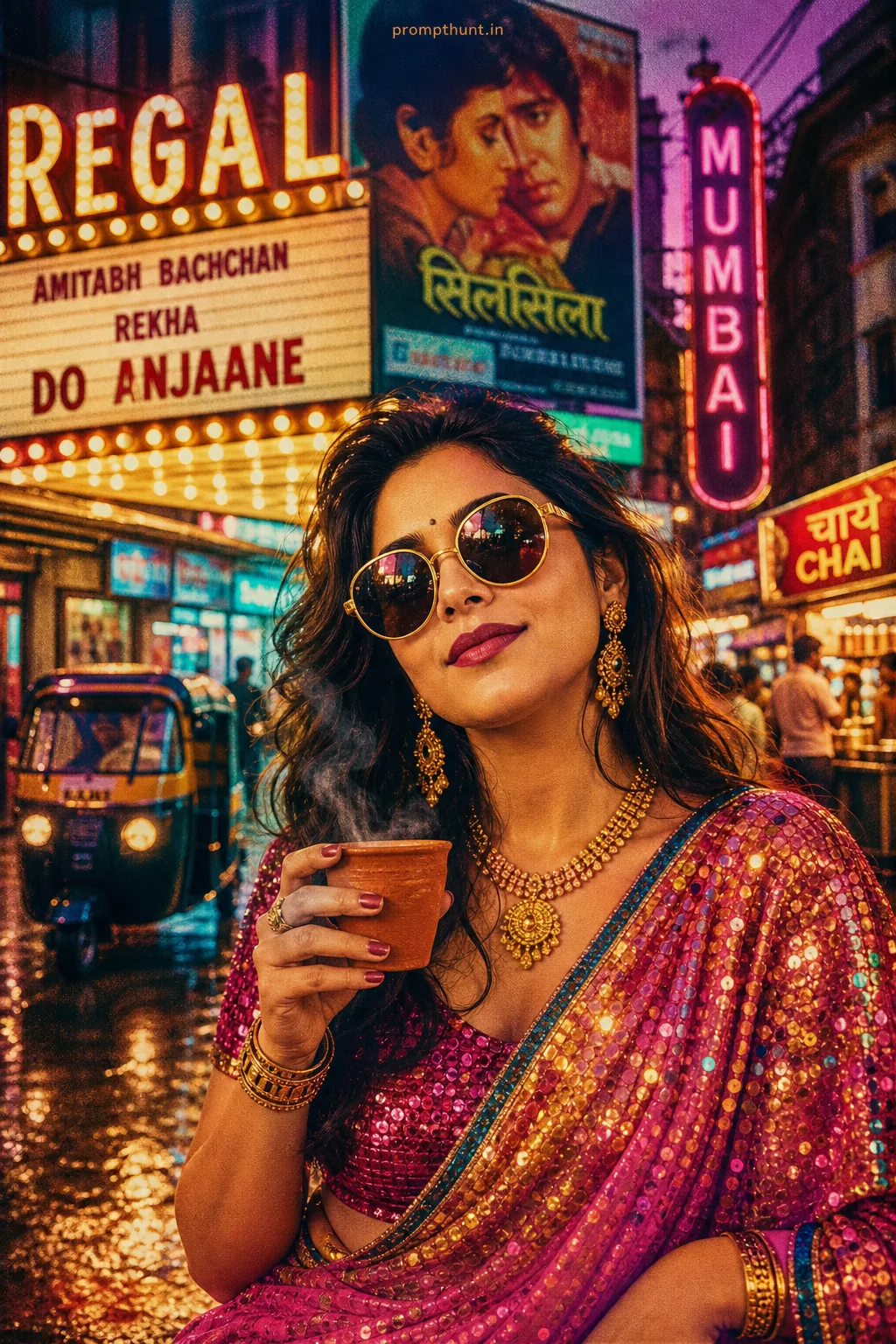
A Living Anime Scene prompt transforms a real photo into a high-detail animated cinematic frame — think Studio Ghibli meets Bollywood, rendered in hyperrealistic cel-shading with dramatic lighting, rain effects, and rich colour grading. This specific Mumbai monsoon version blends Indian aesthetics with Makoto Shinkai's signature emotional visual style, optimised for 9:16 vertical formats.
Bollywood Heroine Monsoon Magic: The Living Anime Scene Prompt That's Breaking Instagram
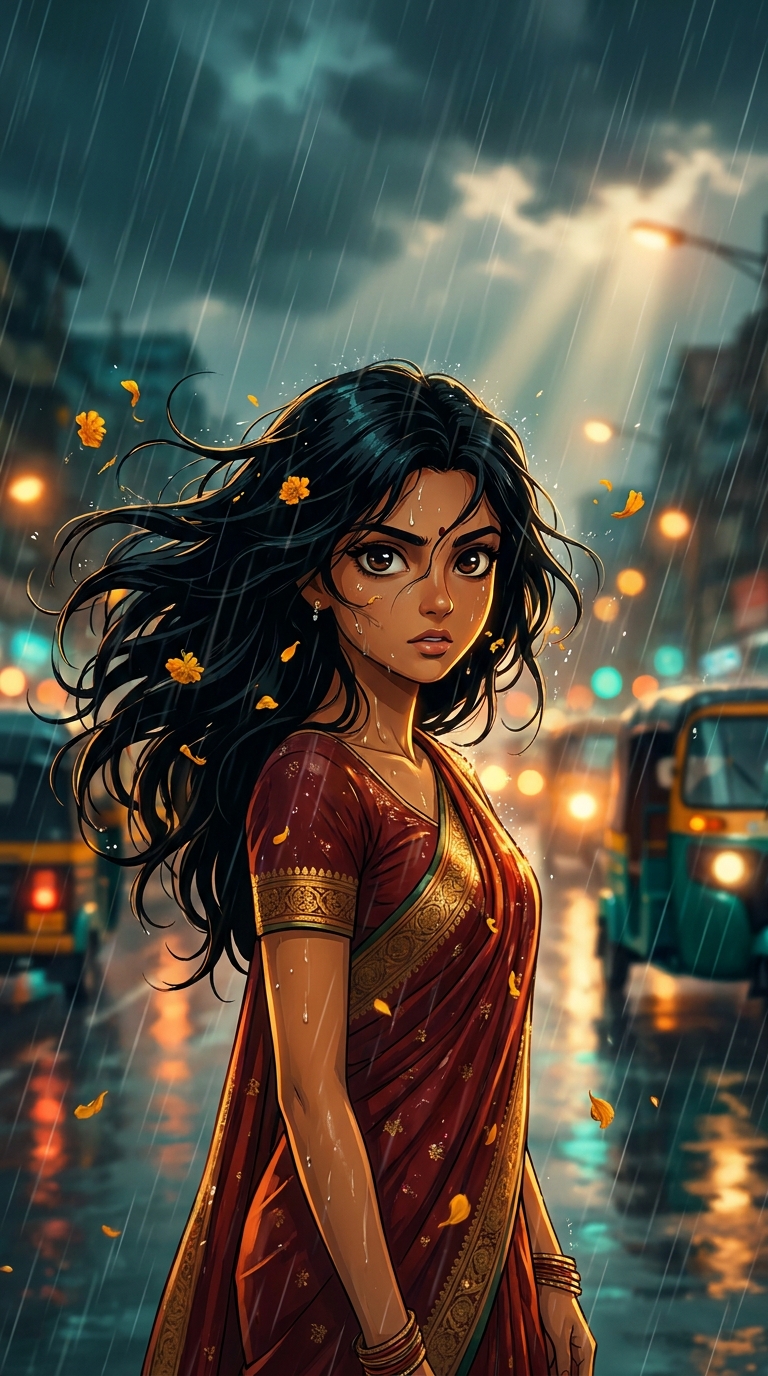
Someone figured out how to make AI look like the opening shot of a blockbuster Bollywood film directed by Makoto Shinkai, and now the rest of us can't stop staring. This Living Anime Scene prompt takes a portrait of a young Indian woman and drops her into a rain-soaked Mumbai street, cel-shaded to within an inch of its life, marigold petals swirling, god rays punching through monsoon clouds, bokeh city lights going absolutely wild in the background. It's genuinely stunning. And yes, before you ask — the AI nailed the saree.
Paste the prompt below into your AI image generator of choice, upload a clear front-facing portrait, and you'll get a cinematic 9:16 Living Anime Scene with Bollywood drama and Studio Ghibli soul — ready for Instagram Reels cover in under two minutes.
What Is a Living Anime Scene, Exactly?
A Living Anime Scene isn't just a cartoon filter slapped over a photo. It's a specific AI rendering style that sits halfway between photorealism and animation.
The key ingredients are cel-shading with genuine depth, hyperrealistic details inside an animated frame, and cinematic lighting that no actual camera could physically produce. Think rim lighting that defies physics. Rain rendered droplet by droplet. Bokeh so creamy it needs a biscuit.
The "living" part refers to the sense of motion frozen mid-frame. Hair mid-swirl. Fabric catching wind. Petals caught between blinks. It looks like a film still from an anime that should absolutely exist but tragically doesn't.
This Mumbai monsoon version adds a distinctly Indian layer. Marigold petals instead of cherry blossoms. Warm golden-brown South Asian skin tones rendered with genuine care. A deep red and gold saree that behaves like fabric actually behaves — weighted, clinging, real.
The Prompt Itself
A breathtaking 9:16 vertical portrait of a stunning young Indian woman transformed into a high-definition Living Anime scene, set during a dramatic Mumbai monsoon. She has large expressive dark brown eyes with luminous anime-style shading, silky jet-black hair flowing wildly in the rain, wearing a vibrant deep red and gold saree that clings elegantly to her figure. She stands on a glistening rain-soaked street with blurred bokeh city lights — orange, yellow, and teal — reflecting on the wet pavement behind her. Her skin has the warm golden-brown tone of South Asian beauty rendered in hyperrealistic anime cel-shading with dramatic rim lighting. Raindrops cascade around her like crystal beads, each droplet rendered with photorealistic clarity. Cherry blossom petals (replaced with marigold petals for Indian authenticity) swirl through the stormy air. Her expression is fierce yet emotional — a classic Bollywood-anime fusion moment. Dynamic diagonal rain lines, volumetric god rays breaking through monsoon clouds above, rich cinematic color grading with deep teals and warm ambers. Ultra-detailed, Studio Ghibli meets Makoto Shinkai aesthetic, 8K resolution, vertical composition optimized for Instagram Reels cover.
How to Use This Prompt — Three Steps, No Surprises
Rule of thumb: the better your source photo, the better the output. Blurry selfies will get you blurry anime. Fair enough.
Step one: Pick your base image. Use a clear, well-lit front-facing portrait. Natural daylight works best. Even skin tone, eyes visible, minimal background clutter. The AI needs something to work with — it's talented, not psychic.
Step two: Choose your tool. Midjourney, Adobe Firefly, Stable Diffusion with an anime-focused checkpoint, or any tool that accepts image prompts and supports style transfer. For the cel-shading quality this prompt demands, Midjourney V6 and above handles it best. Stable Diffusion with the Anything V5 or CounterfeitXL checkpoint is a strong free alternative.
Step three: Paste, generate, refine. Drop the prompt in. If your tool accepts a reference image, upload the portrait alongside it. Generate at least four variations — nine times out of ten, the third or fourth output is the one that lands perfectly. Upscale your favourite to the full 8K equivalent and export at 9:16 for Instagram.
Tips That Actually Make a Difference
The marigold petals are doing a lot of heavy lifting here. If your output skips them or replaces them with cherry blossoms anyway (AI does love a cherry blossom), add "marigold petals, NOT cherry blossoms" as a negative prompt or explicit reinforcement. Firm but fair.
The teal and amber colour grading is the soul of this image. If it's coming out too grey or washed, add "rich cinematic color grading, deep teal shadows, warm amber highlights, high contrast" to a separate style note at the end of your prompt.
For the saree specifically — red and gold is the combination that renders most cleanly in anime cel-shading. Pastels and light colours tend to wash out. Deep jewel tones hold their saturation. This is not a prompt for the beige saree crowd (no offence to the beige saree crowd).
Rim lighting is your best friend. If the figure looks flat or lost against the background, add "strong rim lighting from above, dramatic separation between subject and background" and watch the whole composition pop.
One last thing: generate at the native 9:16 ratio from the start. Cropping a square image to vertical after the fact almost always cuts off the god rays or the rain effect at the top. The vertical composition is part of what makes this feel cinematic.
Why This Is Trending in India Right Now
India accounts for a genuinely enormous chunk of global Instagram Reels activity. Bollywood visual culture — dramatic lighting, emotional expression, jewel-toned fashion — maps almost perfectly onto the anime aesthetic that Makoto Shinkai and Studio Ghibli popularised worldwide.
The monsoon setting is doing cultural work too. Rain in Indian cinema carries weight. It's romantic, dramatic, transformative — the visual shorthand for a feeling that every viewer recognises instantly. Putting that into an anime frame hits two nostalgic registers at once.
Creators making Reels content saw the 9:16 optimisation in this prompt and ran with it. The image works as a still cover, a transition frame, a personal profile aesthetic. It's versatile in a way that landscape anime scenes simply aren't on mobile.
There's also something worth saying about representation. South Asian skin tones, Indian traditional dress, and Indian settings rendered beautifully in a premium AI art style — that combination fills a genuine gap. When it works well, it works emotionally, not just visually.
The Honest Take — Including When Not to Use This
This is one of the stronger Living Anime Scene prompts doing the rounds right now. The specificity is what makes it work. It doesn't just say "anime style" and hope for the best — it names the directors, describes the lighting setup, specifies the colour palette, and even addresses the cultural authenticity issue with the marigold petal swap. That level of detail is why outputs from this prompt consistently look like they belong on a film poster rather than a mid-tier DeviantArt submission circa 2009.
That said, it has limits worth knowing about.
If you're not starting with a strong portrait, no amount of prompt engineering saves you. The AI is extrapolating from what you give it. A poorly lit, low-resolution source image will produce a poorly lit, low-resolution anime character wearing someone else's face. (I've seen it. It's not great.)
The saree detail is also inconsistent across tools. Some generators render fabric beautifully. Others produce something that looks like the saree was draped by someone who had the concept of a saree described to them over the phone. Check your output carefully before posting — a misrendered traditional garment can read as disrespectful even when the intent was celebratory.
Skip this style if you're after something subtle or minimalist. This prompt has the visual energy of a full orchestral swell. It is not background music. If the goal is a quiet, understated portrait, this will feel like someone turned every dial to eleven and then found an extra dial and turned that one too.
Use it for: Instagram Reels covers, personal branding content, digital art portfolios, creative profile aesthetics, fan art projects, and anything that benefits from maximum visual impact in a vertical frame.
The Bottom Line
The Bollywood Heroine Monsoon Magic Living Anime Scene prompt is specific enough to consistently produce stunning results, culturally considered enough to feel authentic, and visually dramatic enough to stop thumbs mid-scroll. Start with a clean portrait, trust the colour grading, insist firmly on the marigold petals, and generate at native 9:16. The god rays, the bokeh, the rain — the AI handles it all. You just have to show up with a decent photo and the good sense to let Makoto Shinkai and Mumbai do the heavy lifting. You could say this prompt really... reigns supreme. (I'm not sorry. Not even slightly.)